September 16, 2026
Template First Package Notification Templates for Property Managers
Copyable email, SMS, and push templates for property managers, plus a 48/96 hour nudge cadence and a Postal Solutions case study to cut pickup delays and...
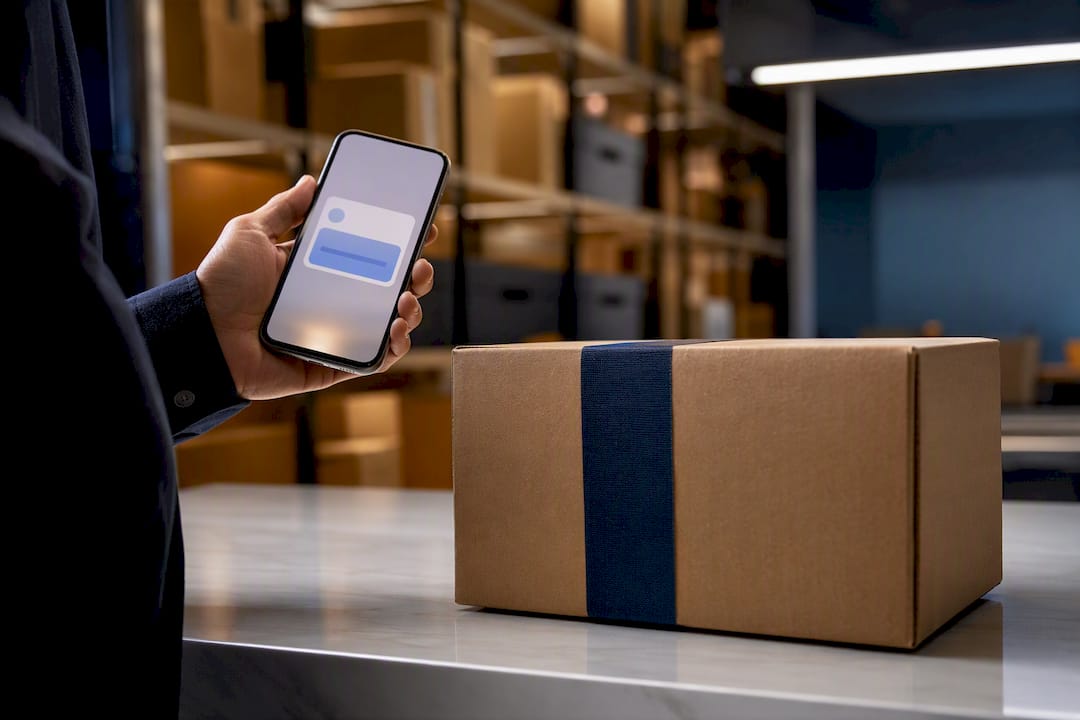
Use six core templates: arrival/pickup-ready, out for delivery, delivered confirmation, delay, partial shipment, and return. Every message needs one non-negotiable field: a tracking link or clear pickup action, front and center. Skip that, and residents open a support ticket instead of walking to the package room.
TL;DR:
- Sending immediate notifications upon package intake significantly reduces support tickets and improves resident trust.
- Including key fields such as resident name, tracking link, pickup location, and hours increases open rates and reduces miscommunication.
- Automating follow-ups at 48, 96 hours, and after 7 days aligns with industry standards for unclaimed packages, preventing overcrowding.
- Using clear, actionable subject lines and buttons with active verbs boosts engagement and makes instructions more accessible.
- Proper timing, accurate trigger sources, and localized wording are critical to reliable notification delivery and resident satisfaction.
Table of Contents
- What Types of Package Notifications Should You Send?
- What Fields and Subject Lines Get the Most Opens?
- Copyable Templates for Every Notification Event
- When Should You Send Package Alerts and Follow-Ups?
- What Mistakes Make Notification Templates Fail?
- How Do You Automate Template Delivery?
- How Does This Work in a Real Package Room?
- Editorial Take: What the Research Actually Supports
- How Postal Solutions Handles This for You
- Sources
- FAQ
What Types of Package Notifications Should You Send?
Not every event needs the same channel. Matching the message type to the right medium is what separates a notification system residents trust from one they mute.
Order shipped. This one’s informational, not urgent. Email works fine here because the resident isn’t expecting action for days.
In transit. Optional for most properties, but useful for high-value or time-sensitive deliveries (medication, perishables). Keep it to email unless the item needs faster attention.
Out for delivery. This is where timing starts to matter. A same-day heads-up by SMS or push gives residents a reason to check their phone, since these channels post higher open rates for time-sensitive alerts than email does, according to Twilio’s documentation on SMS notifications.
Delivered / pickup-ready. This is the message that actually drives foot traffic to the package room or locker bank. Send it immediately on scan, by SMS or push first, with an email backup for residents who don’t have notifications enabled.
Partial shipment. One box of a multi-box order arrived. Say so explicitly, or residents assume their whole order is missing and call the office.
Return. Confirms a resident dropped off a return or that a rejected delivery is headed back to the sender.
The trigger source matters as much as the message itself:
- Barcode or QR scan at intake — the cleanest trigger, timestamps the package the moment it hits the shelf.
- Carrier webhook — pulls status updates (like “out for delivery”) directly from UPS, FedEx, or USPS tracking data.
- Manual intake entry — a fallback for properties without scanning hardware, though it’s slower and more error-prone.
Whichever trigger you use, the notification should fire within minutes, not at the end of a shift.
What Fields and Subject Lines Get the Most Opens?
A notification template lives or dies on its fields. Miss one, and you’ve created a support ticket instead of preventing one.
The core fields every template needs:
- Recipient name (not just unit number)
- Order or tracking number
- Carrier and service level
- Tracking link or delivery status
- Estimated delivery window or pickup hours
- Pickup location (which locker bank, which shelf, which office)
- Who accepted the package, for chain-of-custody
- A photo, when the item is damaged or oversized
- A support or reply path for questions
Statistic to know: Notification templates that include a customer name, order number, tracking link, delivery status, and a clear support path measurably cut “where is my order” tickets, according to ShipStation’s guidance on tracking notifications. Drop any one of those fields and residents fill the gap by emailing the office.
Subject lines work best when they front-load the action, not the brand. Compare:
- Weak: “Delivery Update from [Property Name]”
- Strong: “Your Package Is Ready for Pickup — Unit 214”
- Weak: “Shipment Notification”
- Strong: “Package Arrived Today: Pick Up by Friday”
Preview text should repeat or extend the subject line, never duplicate it word for word. If the subject says “Package Arrived Today,” the preview can say “Pickup hours: 9 AM to 7 PM at the package room.”
For calls to action, use a button labeled with a verb: “Track Package,” “View Pickup Hours,” “Confirm Receipt.” Buttons outperform bare text links for scannability, but always include a plain-text link underneath for accessibility and for email clients that strip images or button styling.
Copyable Templates for Every Notification Event
These are ready to paste into your notification platform. Swap the bracketed placeholders for merge fields from your resident database.
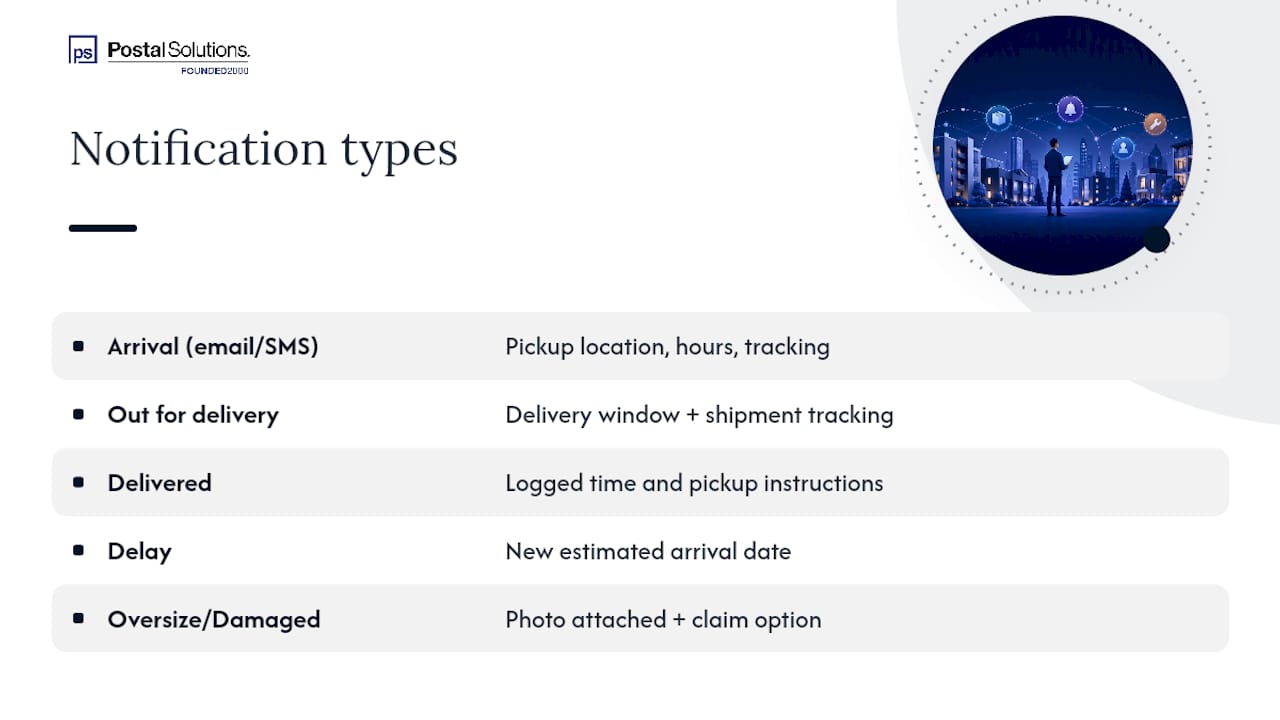
1. Arrival / pickup-ready (email)
Subject: Your Package Has Arrived — Unit [Unit Number]
Hi [Resident Name],
A package from [Carrier] arrived for you today at [Time]. It’s ready for pickup at [Location] during [Pickup Hours].
Order/Tracking #: [Tracking Number]
[Button: Get Directions to Pickup Location]
Questions? Reply to this email or call [Contact Number].
1a. Arrival / pickup-ready (SMS)
“[Property Name]: Package arrived for [Resident Name], Unit [Unit #]. Pickup at [Location], open [Hours]. Track: [Short Link]”
2. Out for delivery
Subject: Package Out for Delivery Today
Hi [Resident Name], your [Carrier] package (order #[Number]) is out for delivery and expected [Delivery Window]. We’ll notify you the moment it arrives.
[Button: Track Shipment]
3. Delivered confirmation
Subject: Delivered: Package Ready for Pickup
Hi [Resident Name], your package from [Carrier] was delivered and logged at [Time] by [Staff Initial/Name]. Pick it up at [Location], open [Hours].
[Button: View Pickup Instructions]
4. Delay notification
Subject: Delivery Delay: Updated Timeline for Your Package
Hi [Resident Name], [Carrier] reports a delay on your package (order #[Number]). New estimated arrival: [Date]. We’ll notify you the moment it’s in hand.
[Button: Track Shipment]
5. Partial shipment
Subject: One of Your Packages Has Arrived (More Coming)
Hi [Resident Name], one box from your recent order (1 of [Total]) arrived and is ready for pickup at [Location]. The remaining item(s) are still in transit, tracking below.
[Button: Track Remaining Items]
6. Oversize or damaged item
Subject: Package Arrived, Needs Your Attention
Hi [Resident Name], a [large/damaged] package arrived from [Carrier]. See the photo below. Please review before pickup, and let us know if you’d like to file a carrier claim.
[Photo attachment]
[Button: Contact Package Manager]
7. Return / drop-off confirmation
Subject: Your Return Has Been Logged
Hi [Resident Name], we’ve logged your return package for [Carrier] pickup, scheduled for [Date]. Keep your receipt confirmation for your records.
Adapt every template’s tone and pickup instructions to your building layout: locker banks need a locker number and access code reminder, open package rooms need staffed hours. The Package Locker Notifications guide breaks down locker-specific phrasing if that’s your setup.
When Should You Send Package Alerts and Follow-Ups?
The first message should fire the instant a package is scanned or logged, not batched at the end of a shift. A resident who finds out three hours late that their package arrived that morning starts to distrust every future notification.
Beyond that first alert, cadence matters more than most property teams realize:
- Immediate: Arrival notice on intake scan or carrier webhook confirmation.
- 48 hours: First nudge for anything still sitting unclaimed.
- 96 hours: Second nudge, slightly firmer tone, reminding residents of pickup hours and any hold-time policy.
- 7 days: Final notice tied to your lease’s package policy, warning of return-to-sender or relocation to overflow storage.
That 48/96 hour rhythm isn’t arbitrary. It’s standard practice across multifamily package operations because it gives residents two realistic reminder windows without burying them in messages, while keeping package rooms from filling up with abandoned boxes.
Pro Tip: Match your nudge tone to the stakes. A 48-hour reminder can be casual (“Still there for you!”), but a 7-day final notice should state the consequence plainly (“Unclaimed packages may be returned to sender after [Date] per building policy”).
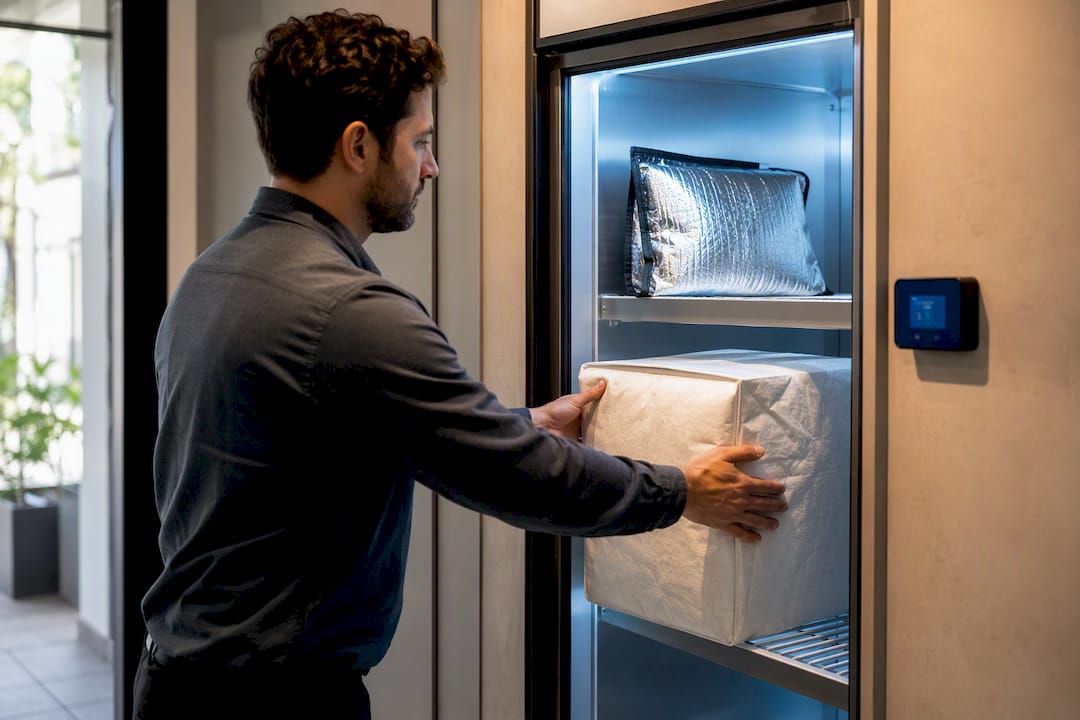
Perishable or hazardous items break this cadence entirely. Refrigerated deliveries need same-day escalation, sometimes a phone call, not a 48-hour wait. Build a separate, faster nudge sequence for anything temperature-sensitive so it doesn’t sit next to a routine parcel until the next scheduled reminder cycle.
What Mistakes Make Notification Templates Fail?
The most common failure isn’t a broken template. It’s a vague one.
“Your package has arrived, please pick up at your earliest convenience” tells a resident nothing about where, when, or how. Compare that to “Your package is at the package room, open 9 AM to 7 PM, second shelf on the left.” One creates a support ticket. The other doesn’t.
Other recurring mistakes:
- Missing tracking links. A notification without a carrier or tracking reference forces the resident to email the office to confirm what arrived.
- No sender or carrier name. Residents expecting multiple orders can’t tell which package is which without it.
- Bad timing. Batch-sending arrival notices at 9 PM instead of on scan means residents don’t see them until the next morning.
- Wall-of-text formatting. Long paragraphs bury the one instruction that matters. Use short lines and bullets for pickup steps.
- No building-specific localization. A generic template that doesn’t reference your actual locker numbers, package room hours, or entry code process leaves residents guessing.
Readability fixes are cheap and high-impact. Keep sentences under 20 words. Bold the pickup location and hours so they’re scannable in a glance. If your property uses lockers instead of an open package room, don’t reuse a package-room template with the word “room” swapped for “locker.” The package lockers versus package room comparison is worth reviewing if you’re running both systems, since pickup mechanics differ enough to need separate templates. Lease-related language around hold times and liability also benefits from a second pass. Contract and policy guidance for property teams is a useful reference when drafting the exact wording around holding periods and resident responsibility.
How Do You Automate Template Delivery?
Manual notifications don’t scale past a handful of daily packages. Automation does, but only if the trigger flow is mapped correctly first.
Here’s the sequence to build:
- Map the scan-to-notify trigger. Every package gets logged at intake, either by barcode/QR scan or carrier webhook pull.
- Field-map the merge data. Resident name, unit, carrier, tracking number, and pickup location need to populate automatically from your resident directory and carrier feed, not be typed manually per package.
- Set channel priority. SMS or push first for delivered/pickup-ready events, email as backup and for lower-urgency updates.
- Build the nudge sequence. Automate the 48/96 hour and 7-day follow-ups so staff don’t have to track hold times manually.
- Test fallback paths. Confirm what happens when tracking data is missing or a carrier webhook fails to fire.
The tools involved generally fall into a few categories: barcode or OCR scanning hardware at intake, a notification platform that handles email/SMS/push delivery, resident directory integrations for accurate contact matching, and carrier webhook feeds for real-time status pulls.
Before going live, run this QA checklist:
- Does a resident-name mismatch get flagged instead of silently misfiring?
- Do partial shipments trigger the partial-shipment template, not the standard delivered one?
- Does a damaged-item scan route to a manager for photo upload before the resident notification fires?
- Is there a fallback template for packages with no tracking number at all?
Properties that connect scanning hardware directly to notification triggers report cutting mailroom labor hours by roughly 50 to 60 percent compared to manual logging and messaging, since the notification fires the moment the scan completes instead of waiting on a staff member to type it out.
How Does This Work in a Real Package Room?
On-site package management for apartment and student housing communities commonly uses templates similar to those above, reflecting standard daily notifications sent by dedicated package managers.
The pattern holds up in practice:
- Immediate arrival notices fire the moment a package is scanned in, before it’s even shelved.
- 48-hour nudges catch residents who missed the first alert or set it aside.
- 96-hour follow-ups clear out anything still sitting, which keeps shelf space and locker banks from filling up during move-in weeks or holiday peaks.
- Damaged or oversized items get photographed at intake, logged with a timestamp and staff initials, and flagged in the notification so residents know before they arrive to pick up.
The operational payoff shows up in three places: fewer “where is my package” calls to the leasing office, faster turnover through the package room, and staff hours redirected from sorting boxes to actual leasing work.
One setup detail matters more than teams expect: locker-based communities need pickup codes and locker numbers in the notification, while open package rooms need staffed hours and a shelf or bin reference instead. Running the same template for both creates confusion in whichever setup it wasn’t written for.
Editorial Take: What the Research Actually Supports
Most advice on package notifications focuses on the wrong variable. Property teams spend hours debating tone, branding, and message length when the data points somewhere else entirely: fields and timing decide whether a notification works, not how polished the copy sounds.
A perfectly worded email that arrives four hours late accomplishes nothing. A blunt, slightly clumsy text that fires the moment a package is scanned, with a tracking link and a pickup location, does the job every time. That’s the uncomfortable truth conventional wisdom skips over.
The other overrated fix is message frequency. Sending more reminders doesn’t clear package rooms faster. Sending the right reminders, at 48 and 96 hours, spaced to match how residents actually check their phones, does. Piling on daily nagging messages just trains residents to ignore the channel altogether.
If you’re rebuilding your templates this year, start with the field checklist before touching subject lines or branding. Get the tracking link, the pickup location, and the timing right first. Everything else is polish on top of a system that either works or doesn’t.
— Postal Solutions
How Postal Solutions Handles This for You
Running templates, nudges, and chain-of-custody logging in-house takes real staff hours every week, hours a leasing team could spend on tours and renewals instead. A dedicated on-site Package Manager typically handles intake, sorting, notifications, and audits so your team can step out of the package business.
Whether your property runs an open package room, a locker bank, or has no locker system at all, the on-site management model adapts to the hardware you already have. Communities using HelloPackage locker integrations or running without any locker system both get the same daily acceptance, resident notification, and weekly audit process. If your leasing office is still typing out arrival texts manually, or fielding calls about packages nobody logged, that’s usually the sign it’s time to hand the package room to a dedicated manager instead of another software subscription. Check out the apartment package lockers and package room management overview to see which setup fits your property, and request a tailored labor-cost breakdown for your community.
Sources
The timing and field recommendations here draw on ApartmentList’s multifamily package management guidance, ShipStation’s tracking notification best practices, and Twilio’s SMS notification documentation. For sample intake logs and process maps, NAAHQ’s package management guidance offers downloadable forms worth adapting to your own building. Buildo’s package policy and communication guide covers layout-specific formatting in more depth than covered here.
- Boxes to Competitive Edge: Best Practices for Multifamily Package Management
- Customized Email and SMS Tracking Notifications To Keep Customers Informed
FAQ
What Are Some Examples of Package Delivery Notifications?
Common examples include an arrival/pickup-ready alert, an out-for-delivery heads-up, a delivered confirmation, a delay notice, a partial-shipment update, and a return confirmation, each covered with copyable templates above.
Where Can I Find Templates for Push Notifications?
Push notification templates follow the same short format as SMS: resident name, event type, and a tracking or pickup link, kept under a couple of short lines since push alerts get cut off on lock screens.
How Do I Get Notified When My Mail or Package Arrives?
Most managed package rooms and locker systems notify residents by email, text, or app push the moment a package is scanned at intake, and Postal Solutions triggers that notice immediately rather than batching it for later.
Can You Give Me Some Examples of Email Notifications?
Yes. An email notification typically includes a subject line naming the action (“Your Package Is Ready for Pickup”), the carrier and tracking number, the pickup location and hours, and a button linking to tracking details or pickup instructions.
How Often Should Follow-Up Reminders Be Sent for Unclaimed Packages?
Industry practice sends the first reminder at 48 hours after arrival, a second at 96 hours, and a final notice around 7 days tied to lease policy on returns or relocation to overflow storage.
Recommended
Ready when you are
Fix your package room — start with a free proposal
Daily on-site Package Manager, resident text & email pings*, and a tour-ready amenity. Tell us your unit count and we'll send a right-sized proposal — usually within one business day.
- ✓ 16–30 hours back every week
- ✓ Works with any locker system
- ✓ Faster, friction-free resident pickup
- ✓ An easy ancillary income addition