
August 18, 2026
Locker Integration Workflow for Multifamily Property Managers
Discover effective locker integration workflow strategies to streamline package management for multifamily properties, boosting efficiency and resident...
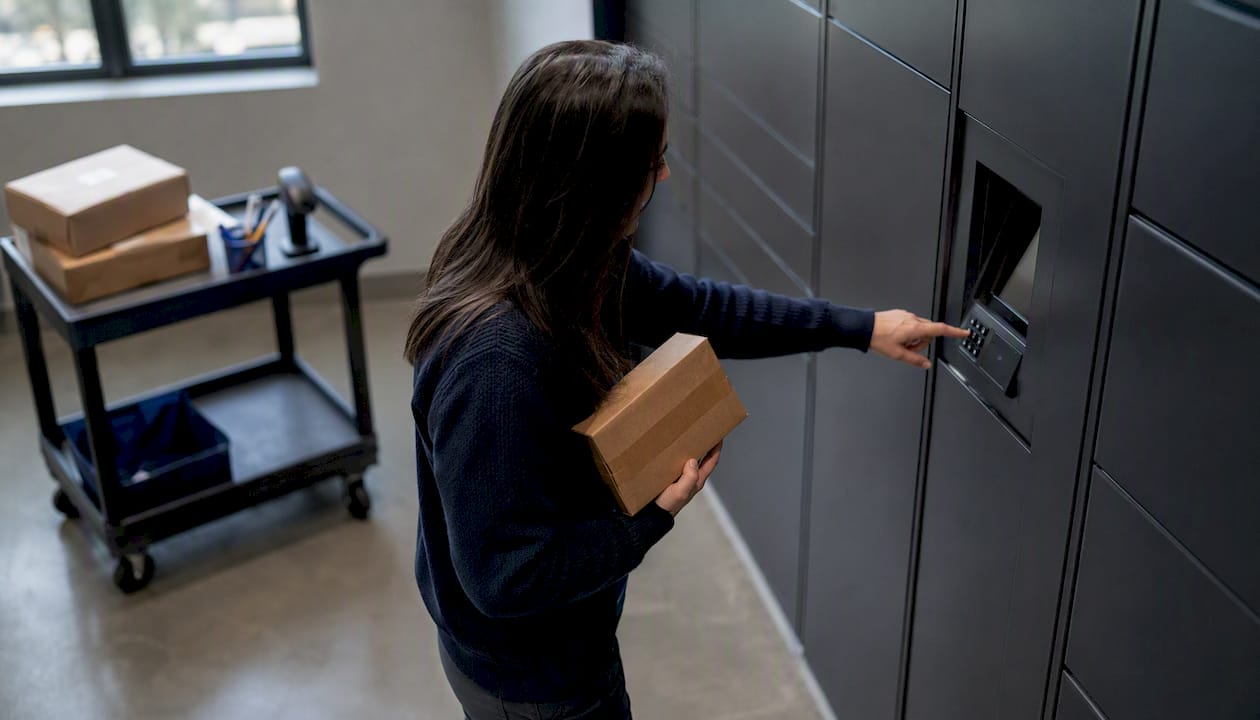
The locker integration workflow that actually works follows one sequence every time: accept, log, stage, assign to locker, notify the resident, confirm pickup, audit and close. Skip a step and packages pile up, residents complain, and leasing staff spend their afternoons hunting for a box that was scanned but never shelved correctly.
Running this well requires a short list of pieces working together: a dedicated on-site Package Manager or equivalent staff role, a clear carrier access protocol, locker hardware sized to your unit count, a resident notification system, and, optionally, a link to your property management system for cross-referencing move-ins and move-outs. The National Apartment Association’s package management guidance frames this as a staffing and process problem first, hardware second, and that ordering matters. Twenty-five years of on-site package-room operations backs up the same conclusion: the workflow, not the locker brand, determines whether residents get their packages without friction.
- Accept — carrier hands off or scans in at a credentialed access point.
- Log — staff records unit, carrier, size/weight flag, and timestamp.
- Stage — package goes to locker, shelf, or overflow area based on size rules.
- Assign — locker software or staff assigns a compartment and generates a code.
- Notify — resident gets an SMS or email with pickup instructions.
- Pick up — resident retrieves the package; system or staff logs the closeout.
- Audit — weekly reconciliation confirms nothing is lost or stuck in dwell.
Key Takeaways
A repeatable accept-log-stage-assign-notify-pickup-audit sequence, run by a clearly accountable role, is what separates a locker system that works from one that generates resident complaints.
| Point | Details |
|---|---|
| Standardize the sequence | Every package should move through accept, log, stage, assign, notify, pickup, and audit, in that exact order. |
| Fix carrier access first | Credentialed access (QR, PIN, or badge) addresses the leading cause of package system failures. |
| Plan capacity before peak | Budget for the November-December surge, which accounts for close to 20% of annual volume. |
| Separate lockers from overflow | Standard parcels go to lockers; oversized and perishable items need a staged package-room protocol. |
| Consider a dedicated role | Postal Solutions’ On-Site Package Room Management applies this exact workflow with a dedicated on-site Package Manager and weekly audits. |
Table of Contents
- Building a Step-by-Step Locker Integration Workflow
- Choosing a Staffing Model for Package Operations
- What Happens When a Package Doesn’t Fit the Standard Flow
- Space, Power, and Connectivity Requirements Before Installation
- Planning for Holiday and Move-In Volume Spikes
- Tracking KPIs and SOP Cycles That Keep the Workflow Healthy
- Training New Staff on Locker and Package Room Operations
- Security and Privacy Practices for Locker Systems
- Understanding the True Costs Behind Locker Operations
- How Postal Solutions Runs This Workflow On-Site
- Sources
- FAQ
Building a Step-by-Step Locker Integration Workflow
A workflow only works if every person touching a package follows the same script, every time, regardless of who’s on shift. Here’s the SOP broken into its operational steps.
- Carrier arrival and credentialed access. Regular-route drivers should use a QR code, PIN, or badge system rather than relying on a leasing office key. Advisory Council research on multifamily package failures found carrier non-compliance is the top cause of package system breakdowns, cited by 60% of respondents surveyed. Standardizing access credentials is the single biggest lever for fixing that.
- Visual check and intake logging. Every package gets logged with six fields: carrier name, unit number, size/weight flag, perishability flag, timestamp, and staff initials. This becomes your chain-of-custody record and your defense if a resident claims a package “never arrived.”
- Staging. Standard parcels that fit a locker compartment go straight to assignment. Anything oversized, refrigerated, or flagged for signature goes to package-room shelving instead. A practical size threshold: if it won’t close the locker door without forcing it, it goes to the shelf.
- Locker assignment logic. Software (or staff, in a manual setup) assigns the smallest compartment that fits the item, reserving larger doors for bulkier deliveries later that day. Because smart lockers use fixed compartment sizes, that reservation logic prevents a Tuesday full of oversized boxes from locking out Wednesday’s regular flow.
- Notification trigger. The moment a package is assigned, the system (or staff) fires a notification. A simple SMS template: “Package for Unit 204 is ready at Locker Bank A, compartment 12. Code: 4471. Available 24/7.” Email should mirror this with the same code and a photo of the label when possible.
- Pickup confirmation. The locker logs the door open event automatically; manual package rooms need a signature or code entry logged by staff.
- Closing the ticket. Mark the intake log entry as closed with a pickup timestamp. Anything unclosed after 48 hours flags for follow-up.
For hybrid buildings running lockers alongside a staffed package room, the split is straightforward: lockers absorb standard parcels, and the package room absorbs oversized items, perishables, and overflow, a setup most industry guides recommend once a property clears 200 units. Property management system integration, where it exists, mostly matters for cross-checking unit numbers against active leases, not for running the day-to-day workflow.
Choosing a Staffing Model for Package Operations
Three staffing models cover most multifamily properties, and picking the wrong one is where package operations quietly fail.
| Staffing Model | Typical Hours | Core Tasks | Best Fit |
|---|---|---|---|
| Shared leasing-team handling | Ad hoc, no dedicated hours | Accept, notify, occasional sorting | Small properties under 100 units |
| Dedicated on-site Package Manager | 4-6 days a week, aligned to carrier windows | Full accept-log-stage-notify-audit cycle | Mid-size to large properties, 150+ units |
| Outsourced on-site service | Scheduled coverage matched to delivery volume | Full workflow plus weekly audits and carrier training | Properties wanting predictable cost and accountability |
Once a property crosses roughly 150 units, ad hoc handling by leasing staff starts eating into leasing and renewal time. That’s the point where a dedicated role, whether hired directly or contracted through an on-site service like Postal Solutions’ On-Site Package Room Management, pays for itself in recovered staff hours.
Pro Tip: Schedule your Package Manager’s hours around your carrier delivery windows, not your office hours. Most residential carrier drops cluster late morning through mid-afternoon, and staffing outside that window just means packages sit unlogged.
What Happens When a Package Doesn’t Fit the Standard Flow
Every property runs into oversized furniture deliveries, refrigerated grocery totes, and packages nobody claims. The fix is a written exception protocol, not a judgment call made on the spot.
Oversized items: Set a size threshold (commonly anything over roughly 24 inches on any side or too heavy for one person to lift safely). Stage these in a marked overflow area, contact the resident directly, and coordinate with the delivery vendor for large-item drop scheduling when needed.
Perishables: Refrigerated staging requires a dedicated cold space, a strict pickup window (24 to 48 hours is standard), and a direct resident notification, not just a locker code.
Misdeliveries, refusals, and no-shows:
- Confirm the unit number against current lease records before logging as misdelivered.
- Hold refused packages for a defined window, then return to sender per carrier policy.
- After repeated non-pickup, escalate to a phone call, then apply your property’s hold-fee or disposal policy.
Overflow routing when lockers are full: locker full → route to staging shelf → notify resident of the change → escalate to Package Manager if unresolved after 24 hours.
Space, Power, and Connectivity Requirements Before Installation
Locker installations fail more often from poor planning than bad hardware. Before a vendor shows up, confirm the basics.
- Power: dedicated circuit sized to the locker tower’s specs, plus surge protection; a UPS backup is worth the cost for properties in areas with unreliable grid power.
- Connectivity: most locker systems run on Wi-Fi, but a hardwired connection is more reliable for high-traffic buildings; plan for future bandwidth if you expect to add towers.
- Placement: near mailboxes or the main entrance, with clear sightlines and ADA-compliant access paths to every compartment bank.
- Capacity planning: industry guidance suggests 40 to 50 locker doors per 100 units, roughly one tower per 30 units, as a starting formula for hybrid setups.
- Maintenance: clarify upfront whether hardware is leased or purchased, since that determines who pays for repairs; build in a monthly cleaning and inspection cadence regardless.
Pro Tip: Ask your locker vendor in writing who owns hardware repairs after the warranty period. This detail gets glossed over in sales conversations and becomes a budget surprise in year two.
A short infrastructure checklist for site engineers: confirm circuit capacity, verify Wi-Fi signal strength at the install location, measure clearance for ADA access, and identify a staging zone within line of sight of the lockers.
Planning for Holiday and Move-In Volume Spikes
November and December have historically accounted for almost 20% of a property’s annual package volume, with peak-week deliveries sometimes climbing sharply after Black Friday. Properties that don’t plan for that spike end up with lockers full by 10 a.m. and a staging area overflowing into the leasing office.
- Add temporary locker capacity or reassign existing towers to overflow-only mode two to three weeks before peak.
- Expand staging space and pre-clear it of unrelated storage.
- Bring in temporary staffing hours matched to the surge window, not just extended office hours.
- Shorten pickup reminder cadences from 48 hours to 24 hours during peak weeks to keep dwell time down.
Move-in season needs the same treatment on a smaller scale: expect a concentrated spike as new residents order furniture, kitchenware, and moving supplies in their first two weeks.
Tracking KPIs and SOP Cycles That Keep the Workflow Healthy
A locker integration workflow is only as good as what you measure. Track five numbers consistently: average dwell time, percentage of packages picked up within 48 hours, share of deliveries routed to lockers versus package-room shelving, intake logging accuracy, and carrier compliance incidents.
Daily: reconcile intake log against locker system reports; flag anything unclosed past 48 hours.
Weekly: run a full audit comparing physical inventory to logged entries. This is where chain-of-custody discipline either holds up or falls apart.
Monthly: review carrier compliance incidents and retrain any driver flagged more than once.
- Sample SMS reminder at the 24-hour mark: “Reminder: your package at Locker Bank B is still waiting. Code: 4471. Please pick up within 24 hours to avoid overflow relocation.”
- Audit template fields: log entry ID, expected item count, physical count, discrepancies, staff sign-off.
Training New Staff on Locker and Package Room Operations
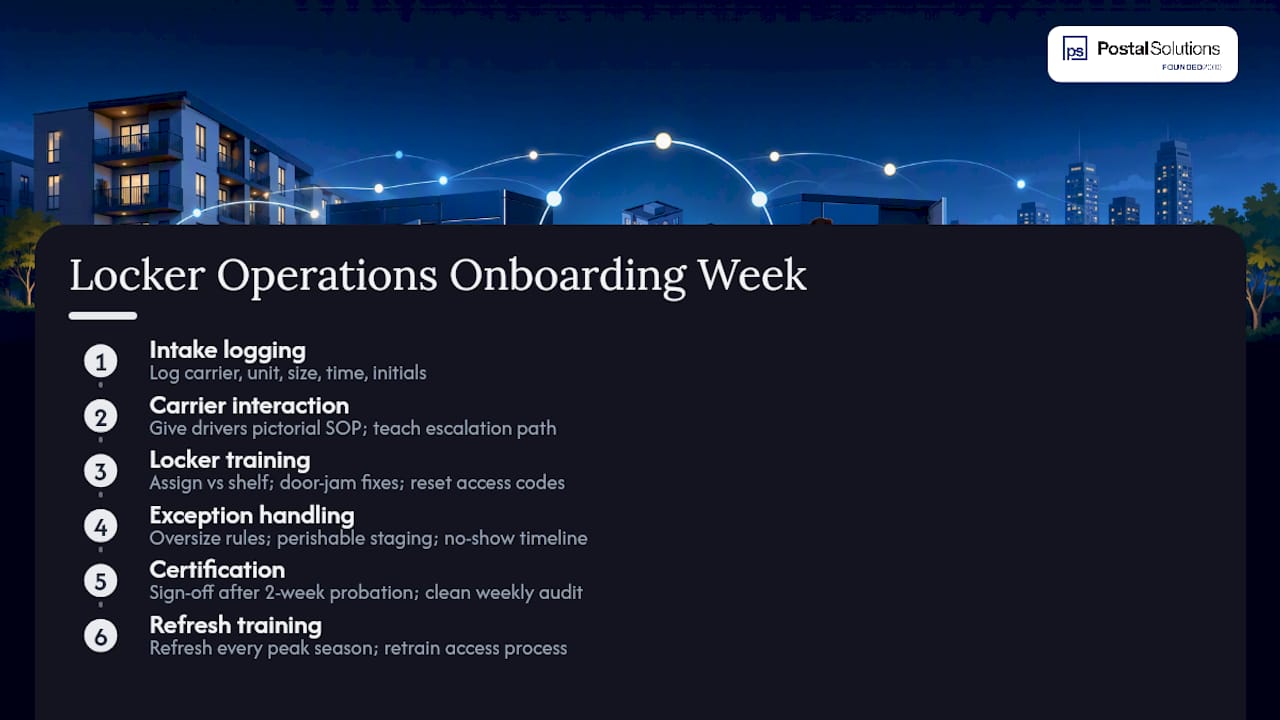
Onboarding a new Package Manager or leasing staff member into locker operations should take a structured week, not a shadow shift and a shrug. Start with the intake logging fields, since that’s the foundation everything else depends on: carrier, unit, size flag, timestamp, initials. New staff should log at least twenty real packages under direct supervision before working solo.
Carrier interaction is the next priority. A one-page pictorial SOP handed to drivers during rollout, paired with direct staff training, meaningfully cuts down on compliance failures during peak weeks. New staff need to know the escalation path when a driver skips the credentialed access point or drops packages outside the designated zone.
Locker-specific training covers assignment logic (what goes in a locker versus the shelf), troubleshooting a jammed door, and resetting an access code when a resident reports a failed pickup attempt. Exception handling deserves its own session: walk new hires through the oversized-item protocol, the perishable staging procedure, and the no-show escalation timeline before they encounter a real case.
Certification should be simple: a supervisor sign-off after a two-week probationary period, confirmed by a clean weekly audit with zero unresolved discrepancies. Refresh training every peak season, since carrier turnover and seasonal hires mean the credentialed access process needs re-explaining more often than property managers expect.
Security and Privacy Practices for Locker Systems
Chain-of-custody logging isn’t just an operational nicety, it’s the security backbone of the entire workflow. Every package entry needs a timestamp, a staff initial, and, ideally, a photo log at intake and pickup. That paper trail is what resolves a resident dispute in minutes instead of an afternoon of finger-pointing.
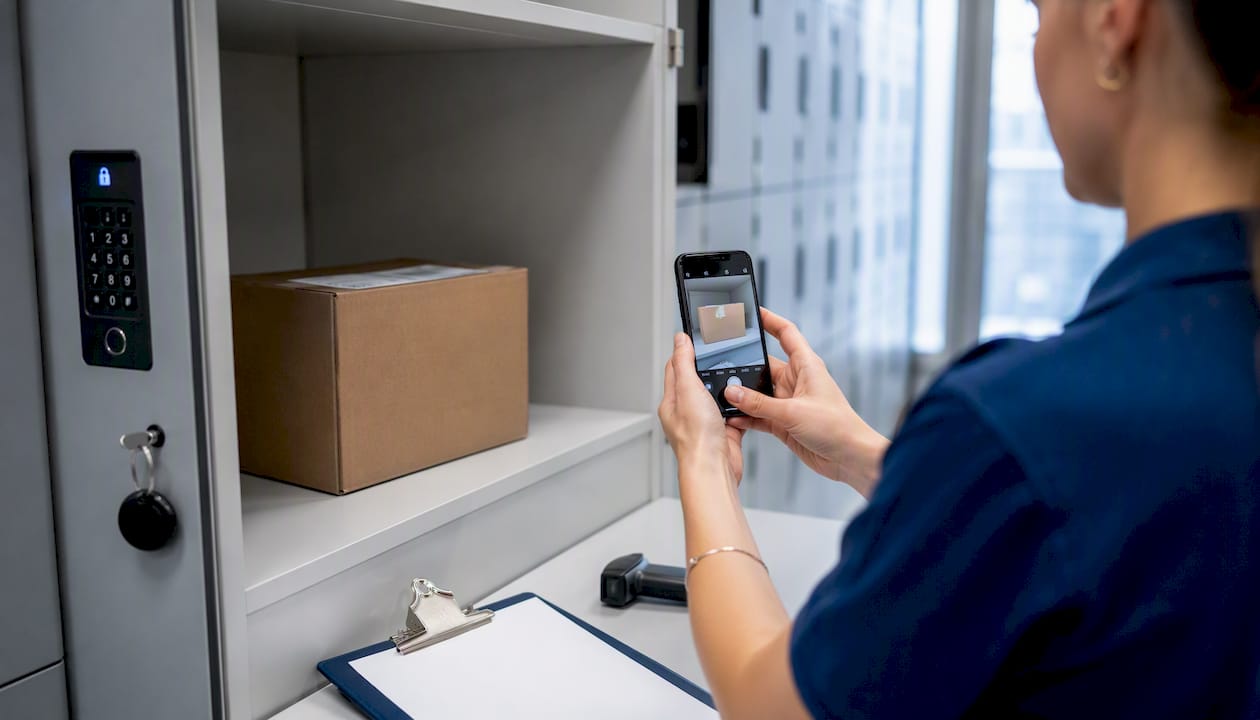
Access control matters as much as logging. Locker compartments should generate single-use codes tied to a specific package and resident, not standing codes that get reused. Integration between locker access, video coverage, and notification systems tends to matter more for long-term security than any single hardware spec, since it’s the combination that closes gaps a locker alone can’t.
Privacy considerations come down to two things: limiting who can see resident package data (unit number, delivery contents when visible, pickup times) to staff who need it operationally, and making sure notification systems don’t expose personal details in ways a third party could intercept. SMS and email templates should include enough information for the resident to act, a locker code and location, without listing carrier tracking numbers or item descriptions that create unnecessary exposure.
Weekly audits double as a security check. A discrepancy between logged intake and physical inventory isn’t always theft. Sometimes it’s a misfiled entry. But treating every discrepancy as worth investigating, rather than writing it off, is what keeps a package room’s security posture credible over time.
Understanding the True Costs Behind Locker Operations
Locker hardware costs vary by tower size and vendor, but the sticker price is rarely the full cost picture. Ongoing expenses include the electrical and connectivity upkeep covered earlier, software licensing fees where applicable, and, most significantly, labor.
Maintenance responsibility depends heavily on whether hardware is leased or purchased outright. Leased equipment usually bundles repairs into the contract, which simplifies budgeting but raises the recurring monthly cost. Purchased hardware is cheaper long-term but leaves the property on the hook for every repair call, and locker mechanisms do wear out, especially compartment latches on high-traffic banks.
Labor is where properties consistently underestimate cost. A property running the full accept-log-stage-notify-audit workflow without dedicated staff ends up paying for it in leasing-team hours diverted from tours and renewals, which is a real cost even when it doesn’t show up as a line item.
There’s a revenue side worth considering too. Because residents already expect secure, reliable package handling as a baseline amenity, many properties structure professionally run package operations as a paid resident amenity, retaining the margin between the amenity fee and the actual management cost. Done well, that turns what used to be a pure expense into a service that partially, sometimes fully, funds itself.
A Package Manager’s Take on What Actually Reduces Complaints
Resident complaints drop fastest when one person owns the whole cycle and carriers get the same instructions every time. Consistency, not technology, is what residents actually notice.
How Postal Solutions Runs This Workflow On-Site
Building this SOP is one thing. Running it every day, through carrier turnover, holiday spikes, and staff vacations, is another. That’s the gap Postal Solutions’ On-Site Package Room Management fills. A dedicated on-site Package Manager works your community up to six days a week, executing the same accept-log-stage-notify-audit cycle covered here, whether your property runs pure locker banks, a staffed package room, or the hybrid setup most larger communities land on.
The service brings weekly chain-of-custody audits, carrier training materials built to reduce the non-compliance issues that cause most package failures, and hands-on experience integrating with locker hardware you already have installed, no rip-and-replace required. Twenty-five years of doing this across apartment and student housing communities means the workflow gets applied consistently instead of reinvented every time staff turns over. If you want to see how it maps onto your property specifically, request a package room assessment or explore the full service to see what a professionally managed package room looks like on your site.
Sources
- A Framework for Solving Multifamily’s Package Management Problem | Insights by Blueprint
- How to Effectively Manage Package Acceptance:
- Package Lockers for Apartments: A Playbook for Security, Scale, and Resident Experience (2026)
FAQ
What Is the Core Locker Integration Workflow?
It’s a seven-step sequence: accept the package, log it, stage it, assign it to a locker or shelf, notify the resident, confirm pickup, and audit the closed ticket weekly.
How Many Locker Doors Does a Property Need?
Industry guidance suggests planning for 40 to 50 locker doors per 100 units, roughly one tower per 30 units, as a starting formula.
What Causes Most Locker Workflow Failures?
Carrier non-compliance, drivers bypassing the intended intake process, is the leading cause of package system failures, cited by 60% of surveyed operators.
Should Every Property Use Only Lockers, or a Hybrid Setup?
Larger properties, generally 200-plus units, benefit from a hybrid model where lockers handle standard parcels and a staffed package room absorbs oversized and perishable items.
Can a Managed Service Handle the Full Workflow?
Yes. Postal Solutions’ On-Site Package Room Management runs the entire accept-through-audit cycle with a dedicated on-site Package Manager, weekly audits, and integration experience with existing locker hardware.
Recommended
- Blog — Package Room Management Insights for Multifamily
- Package Security for Multifamily Communities: 2026 Guide — Postal Solutions Blog
- Move-In Packages: A Property Manager’s Operations Plan — Postal Solutions Blog
- Package Sorting System for Multifamily Properties: Pick the Right Solution — Postal Solutions Blog
Ready when you are
Fix your package room — start with a free proposal
Daily on-site Package Manager, resident text & email pings*, and a tour-ready amenity. Tell us your unit count and we'll send a right-sized proposal — usually within one business day.
- ✓ 10–20+ hours back every week
- ✓ Works with any locker system
- ✓ Faster, friction-free resident pickup
- ✓ An easy ancillary income addition