
August 13, 2026
How to Improve Locker Utilization at Multifamily Properties
Discover effective strategies to improve locker utilization at multifamily properties, enhancing efficiency and resident satisfaction.
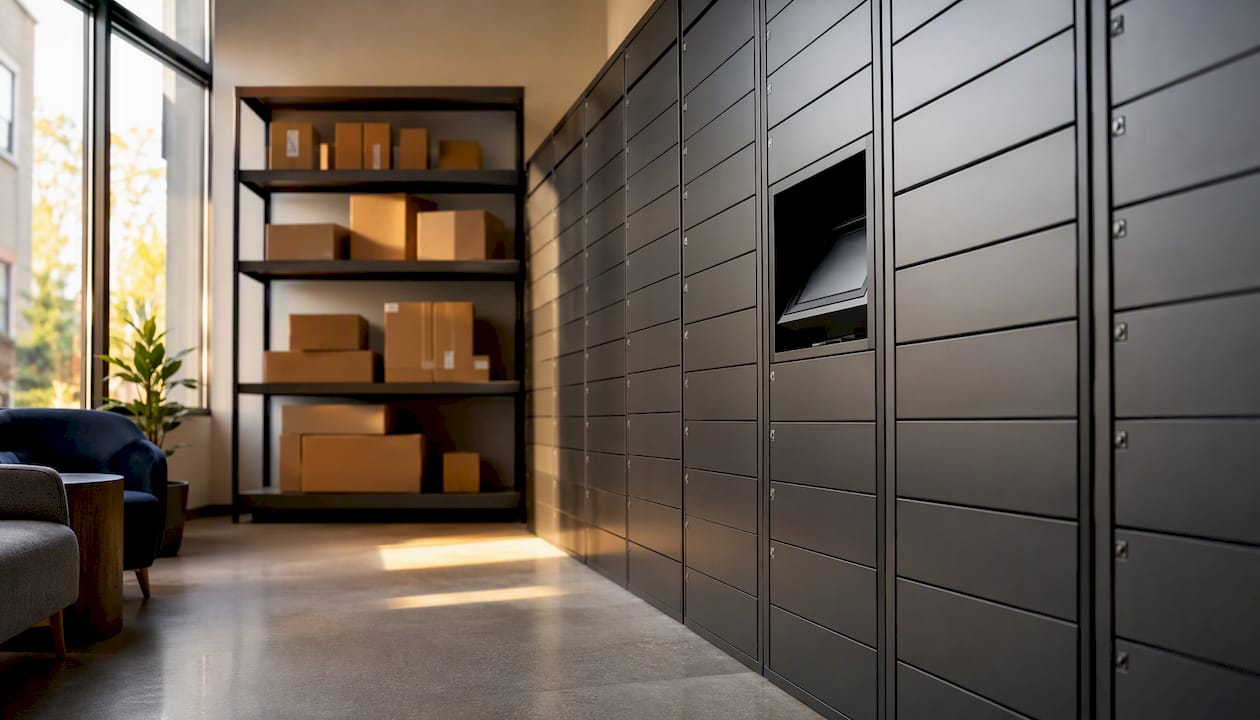
For most mid-to-large apartment communities, the right answer is a hybrid setup: lockers handle routine daily parcels while a dedicated package room absorbs oversized items and holiday overflow. Three operational levers drive the actual improvement in locker utilization: a credentialed carrier workflow with time-limited PINs, camera-logged 24/7 resident access, and capacity sized for your two busiest weeks rather than an average Tuesday.
Operators ranked carrier compliance as the top improvement priority — selected by a majority of respondents in a multifamily package management survey — ahead of reduced staff burden and lower-cost solutions. That finding matters because it tells you where to spend your first week of effort: not on hardware, but on process.
Immediate next steps:
- Audit current dwell time (pull the last 30 days from your locker software or logbook)
- Measure peak two-week demand, not your monthly average
- Roll out time-limited carrier PINs with documented expiration windows
- Confirm camera coverage at every entry point and locker bank
Postal Solutions has spent 25 years running exactly this kind of operation for apartment and student housing communities, and the pattern is consistent: properties that fix the workflow first get faster results than those that start with hardware.
Key Takeaways
A hybrid locker-plus-package-room setup, sized for peak demand and supported by a credentialed carrier workflow, is the most reliable path to improving locker utilization at multifamily properties.
| Point | Details |
|---|---|
| Size for peak, not average | Plan 40–50 locker doors per 100 units; design room capacity for your busiest two weeks. |
| Carrier compliance first | 60% of operators rank carrier compliance as the top improvement priority over hardware. |
| Credential access plus cameras | Time-limited PINs, camera logs, and chain-of-custody records cut dwell time and resolve disputes. |
| Track four KPIs weekly | Dwell time under 48 hours, around 50% pickup rate, 70–85% occupancy, and under 2 minutes staff time per package. |
| Postal Solutions manages it daily | An on-site Package Manager handles intake, audits, notifications, and carrier onboarding six days a week. |
Table of Contents
- How to size lockers and package rooms for peak demand
- What access control and carrier workflows actually prevent
- How layout and physical organization affect pickup speed
- Choosing the right locker compartment mix and hold-time rules
- A 6–8 week rollout checklist for going live
- What to track daily and weekly to verify utilization gains
- What locker and package room investments actually cost
- The most common utilization failures and how to fix them fast
- How to get residents to actually pick up their packages
- How package locker systems connect to property management software
- Staff training protocols that actually stick
- What to do with packages that never get picked up
- Metrics that show locker utilization is actually improving
- What 25 years of on-site package management actually teaches you
- Postal Solutions runs the package operation so your team doesn’t have to
- Sources
- FAQ
How to size lockers and package rooms for peak demand
The field-tested planning formula is straightforward. Plan for 40–50 locker doors per 100 units and roughly one locker tower per 30 units; each tower handles about 15 packages at peak. Size your package room for your busiest two weeks, not a typical day.
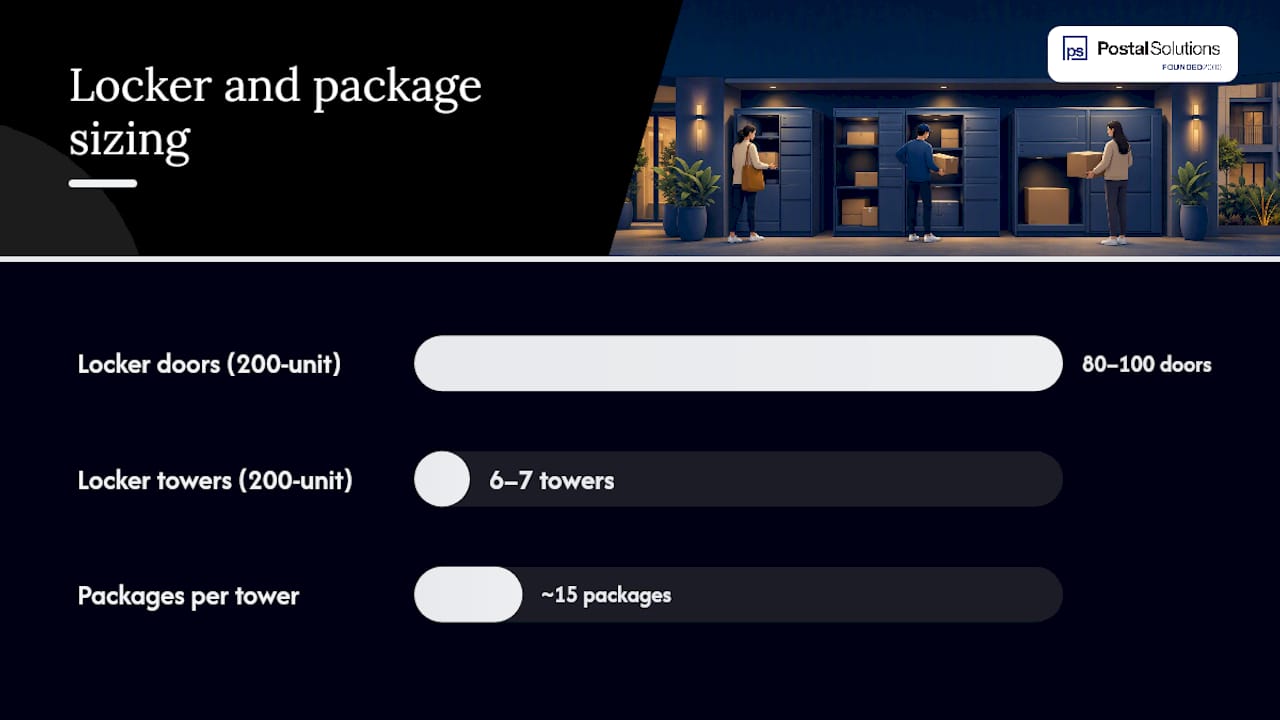
For a 200-unit building, that math produces around 80 to 100 locker doors across 6 to 7 towers. A package room sized for that same property should hold a few days of peak-period volume, which typically means several hundred cubic feet of accessible shelving.
| Planning metric | Rule of thumb | 200-unit example |
|---|---|---|
| Locker doors | 40–50 per 100 units | 80–100 doors |
| Locker towers | 1 per 30 units | 6–7 towers |
| Peak capacity per tower | ~15 packages | 90 packages total |
| Package room sizing | Peak 2-week volume | 2–3 days of storage buffer |
When to choose each model:
- Lockers only: Dense properties under 100 units with predictable, small-parcel volume and no staff on-site
- Package room only: High oversized-item mix (furniture, appliances) or properties where a staffed model is already in place
- Hybrid: 150+ unit properties with mixed parcel sizes, seasonal spikes, or student housing move-in surges
Pro Tip: *When evaluating a locker system for apartments, always ask the vendor for their peak-day capacity figure, not their average.
What access control and carrier workflows actually prevent
Credential-based 24/7 self-service access combined with camera logging is the right default for most multifamily properties. It scales without adding labor, covers evening pickup peaks when staff are gone, and creates a documented record for every disputed delivery.
The carrier side is where most properties lose ground. A driver who can’t find the locker, doesn’t have a working PIN, or defaults to leaving packages at the front door creates a cascade: packages miss the system, dwell time climbs, and residents blame the property. Standardized carrier communication and a one-page pictorial SOP distributed at rollout materially reduce driver non-compliance.
Carrier onboarding steps:
- Issue time-limited PINs or QR codes per carrier, with 90-day expiration windows
- Post a one-page pictorial SOP at the loading area and locker entry
- Document a credential revocation process for terminated or reassigned drivers
- Schedule a brief walkthrough with each major carrier’s local station manager at launch
Pro Tip: Keep a laminated pictorial SOP at the package room door and at the locker bank entry. Drivers rotate frequently; a visual guide at the point of delivery costs almost nothing and cuts non-compliance faster than any email to a carrier’s dispatch office.
How layout and physical organization affect pickup speed
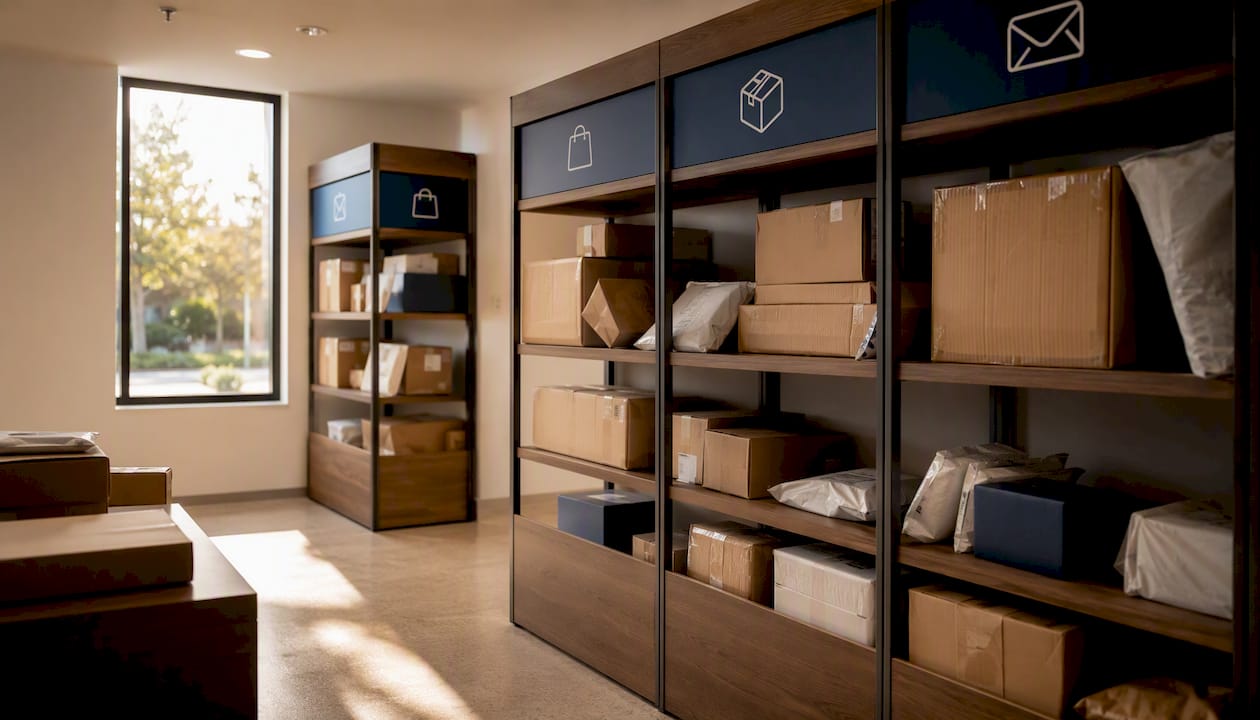
A single controlled entry, camera coverage at every angle, and clearly labeled zones cut average search time and prevent overflow from spreading into common areas. Open-shelving package rooms deliver roughly 2–3x the storage capacity per linear foot compared with locker banks and handle oversized items that lockers physically cannot.
| Dimension | Open-shelving package room | Locker bank |
|---|---|---|
| Upfront cost | $1,500–$3,000 installed | $6,900–$20,000+ |
| Oversized packages | Handles all sizes | Limited to compartment size |
| Staff involvement | Higher without automation | Minimal with self-service |
| Per-package accountability | Requires label-capture or logging | Built-in per-compartment log |
| Scalability under peak volume | High with overflow staging | Constrained by door count |
Signage and camera placement checklist:
- Label every shelf section by unit number range, not alphabetically
- Mount cameras to cover the entry door, all locker faces, and the oversized staging area
- Mark a dedicated cold-storage zone if your property accepts grocery or pharmacy deliveries
- Post pickup-flow arrows on the floor to prevent bottlenecks at peak hours
- Place a separate overflow staging rack visible from the entry camera
Choosing the right locker compartment mix and hold-time rules
Auto-assign packages to the smallest compartment that fits. This single rule, consistently applied, keeps large compartments available for the packages that actually need them.
Hold-time and escalation rules:
- Send an automated notification at delivery, then again at 48 hours if uncollected
- Issue a final notice at 72 hours with a clear pickup deadline
- Move uncollected packages to an overflow staging area after 5 days
- Log every transfer in the chain-of-custody record
Pro Tip: Reserve two or three large compartments as “concierge holds” for high-frequency carriers like Amazon Fresh or for residents who have flagged a medical or mobility need. It costs you almost nothing in capacity and eliminates a recurring complaint category.
A 6–8 week rollout checklist for going live
Follow a phased rollout that locks in carrier compliance and resident communication before hardware arrives on-site. Properties that skip the carrier SOP step and go straight to hardware installation consistently report the same problem six weeks later: drivers bypassing the system.
- Weeks 1–2: Finalize locker count and package room layout; order hardware; draft carrier SOPs
- Week 3: Complete electrical, door-control, and camera rough-in; confirm network connectivity
- Week 4: Install locker hardware; configure access-control software; issue carrier credentials
- Week 5: Distribute pictorial SOPs to all carriers; train on-site staff; send resident pre-launch notice
- Week 6: Run a pilot week with full logging; review camera feeds and access logs daily
- Weeks 7–8: Go live; conduct first weekly audit; adjust compartment assignments based on pilot data
Gating checks before go-live: access-control test (every credential type), camera feed verification (no blind spots), and a notification test (confirm residents receive SMS and email).
Pro Tip: Pull your move-in package volume data before finalizing your go-live date. Launching two weeks before a major move-in wave without overflow staging in place is the most common first-month failure.
What to track daily and weekly to verify utilization gains
Track four KPIs from day one: package dwell time, pickup rate within 48 hours, locker occupancy rate, and staff time per package. A target dwell time under 48 hours is a practical operational benchmark; anything consistently above that signals a pickup friction problem, not a hardware problem.
| KPI | Target threshold | Cadence | Owner |
|---|---|---|---|
| Package dwell time | Under 48 hours | Daily | On-site manager |
| Pickup rate within 48 hrs | around 50% | Weekly | On-site manager |
| Locker occupancy rate | around 65% at peak | Weekly | Regional ops |
| Staff time per package | Under 2 minutes | Monthly | Regional ops |
Daily and weekly routines:
- Daily: intake audit (count packages received vs. logged), dwell sweep for anything over 48 hours
- Weekly: capacity check against locker occupancy rate, carrier compliance review
- Monthly: full chain-of-custody audit, carrier credential expiration review
When dwell time climbs above 48 hours consistently, the fix is usually a notification gap or a carrier compliance failure, not a locker shortage.
What locker and package room investments actually cost
Process fixes typically deliver faster ROI than hardware expansion. A package room setup runs $1,500–$3,000 installed, while locker systems range from $6,900 to $20,000+ depending on door count and software tier. That gap is significant, but the more important number is ongoing staff time.
Manual package handling can consume multiple staff-hours per day at properties without a centralized system. Centralizing intake and pickup cuts that burden sharply, which is where the real ROI lives for most properties.
ROI levers, ranked by speed of return:
- Reduce staff touchpoints per package (fastest return, zero hardware cost)
- Shorten average dwell time below 48 hours (reduces overflow and complaint volume)
- Cut front-desk interruptions from package inquiries
- Reduce resident complaints tied to lost or delayed packages (supports retention)
The most common utilization failures and how to fix them fast
Poor locker utilization almost always traces back to four root causes: weak access control, capacity sized to average volume instead of peak, missing carrier workflows, and unlabeled or confusing shelving.
Quick fixes you can implement this week:
- Replace static carrier codes with time-limited PINs that expire every 90 days
- Relabel all shelves by unit number range (not alphabetically or by arrival date)
- Run a 48-hour dwell sweep and move anything older to overflow staging
- Pull camera logs for the last two weeks and identify any delivery events that bypassed the system
Pro Tip: Print and laminate a carrier pictorial SOP and post it at the loading dock entrance. This one action, which takes under an hour, is the single highest-return fix for properties where drivers are the compliance weak link.
How to get residents to actually pick up their packages
Resident pickup behavior is the variable most property managers underestimate. A well-designed locker system with poor notification timing will still accumulate dwell time. The fix is a notification workflow that reaches residents through the channel they actually check.
Send delivery notifications via SMS first, email second. Include the locker number and a direct link to the access credential in the message body. A second automated reminder at 48 hours, worded as a deadline rather than a courtesy, moves pickup rates measurably. Some communities add a brief note about the hold policy in the message itself: “Your package will move to the office after 5 days.” That framing works.
Resident orientation matters at move-in. A two-minute walkthrough of the locker or package room during the move-in tour, combined with a one-page instruction card in the welcome packet, reduces first-month support requests significantly.
How package locker systems connect to property management software
Modern locker platforms from vendors like Luxer One and Swiftlane offer API-level integration with major property management systems. The practical benefit is that resident data stays current automatically: when a resident moves out, their access credential is deactivated without a manual step from your team.
The integration also enables reporting inside the tools your regional ops team already uses. Dwell time, occupancy rate, and pickup rate can surface in the same dashboard as lease data, which makes weekly KPI reviews faster and keeps package operations visible at the asset level rather than buried in a separate locker admin portal.
Onsite systems preserve visibility and control in a way that offsite or third-party delivery services cannot match. When a resident disputes a delivery, your team has camera logs, access records, and a chain-of-custody entry to reference, all within the property’s own system.
Staff training protocols that actually stick
Training works best when it is short, visual, and repeated. A 30-minute onboarding session covering intake, logging, carrier credential issuance, and overflow staging is enough for most staff members. The session should end with a live walkthrough of the system, not a slide deck.
Post laminated quick-reference cards at the package room entry and at the locker bank. Cover three things: how to log an incoming package, how to issue or revoke a carrier credential, and what to do when a compartment is full. Staff turnover is a reality in multifamily; a card on the wall means the next person can operate the system on day one without a full retraining session.
Run a brief refresher before every peak period, specifically before the November/December holiday surge and before major move-in dates. Fifteen minutes reviewing overflow staging and carrier SOP compliance prevents the most common peak-period failures.
What to do with packages that never get picked up
Uncollected packages are a space and liability problem. The right procedure is a documented escalation ladder, not a judgment call made differently by each staff member.
At 48 hours, send an automated reminder. At 72 hours, send a final notice with a stated deadline. After 5 days, move the package to a designated overflow staging area and log the transfer. After 14 days, attempt contact by phone. After 30 days, follow your state’s abandoned property guidelines, which vary by jurisdiction, and document every step.
The chain-of-custody log is your protection in every disputed case. Camera footage at the locker or package room entry, combined with a timestamped log entry for every package movement, gives your team a defensible record if a resident claims a package was lost or mishandled.
Metrics that show locker utilization is actually improving
The four KPIs covered in the daily/weekly operations section (dwell time, 48-hour pickup rate, locker occupancy rate, and staff time per package) are the right starting set. Track them weekly for the first 90 days after any system change, then monthly once performance stabilizes.
Two additional signals are worth watching. First, the ratio of packages that enter the locker system versus those that bypass it (left at the front desk or in a hallway). A high bypass rate means carrier compliance is still broken. Second, resident complaint volume related to packages, tracked through your maintenance or CRM system. A well-run package operation should produce near-zero package-related complaints within 60 days of a proper rollout.
What 25 years of on-site package management actually teaches you
The most persistent mistake in multifamily package management is treating utilization as a hardware problem. Properties add locker towers, upgrade software, and expand the package room, then wonder why dwell time is still climbing. The hardware is rarely the constraint. The constraint is almost always a carrier who bypasses the system, a notification that goes to an email address no one checks, or a staff member who hasn’t been trained on the overflow procedure.
The properties that run the tightest operations share three things: a dedicated person accountable for the package room daily, a carrier SOP that is physically posted at the delivery point, and a weekly KPI review that someone actually acts on. Postal Solutions’ on-site Package Manager model is built around exactly that structure, with chain-of-custody logging, weekly audits, and resident notifications built into the daily routine. Luxer One and Swiftlane are solid hardware platforms; the gap between a well-run and a poorly run installation of either system comes down to the operational layer on top of the hardware.
The ancillary income angle is also underused. A professionally managed package room is a leasing amenity that residents notice and value. Structuring it as a paid amenity, with the management cost offset by resident fees, turns a budget line item into a margin contributor. That framing changes how ownership views the investment.
Postal Solutions runs the package operation so your team doesn’t have to
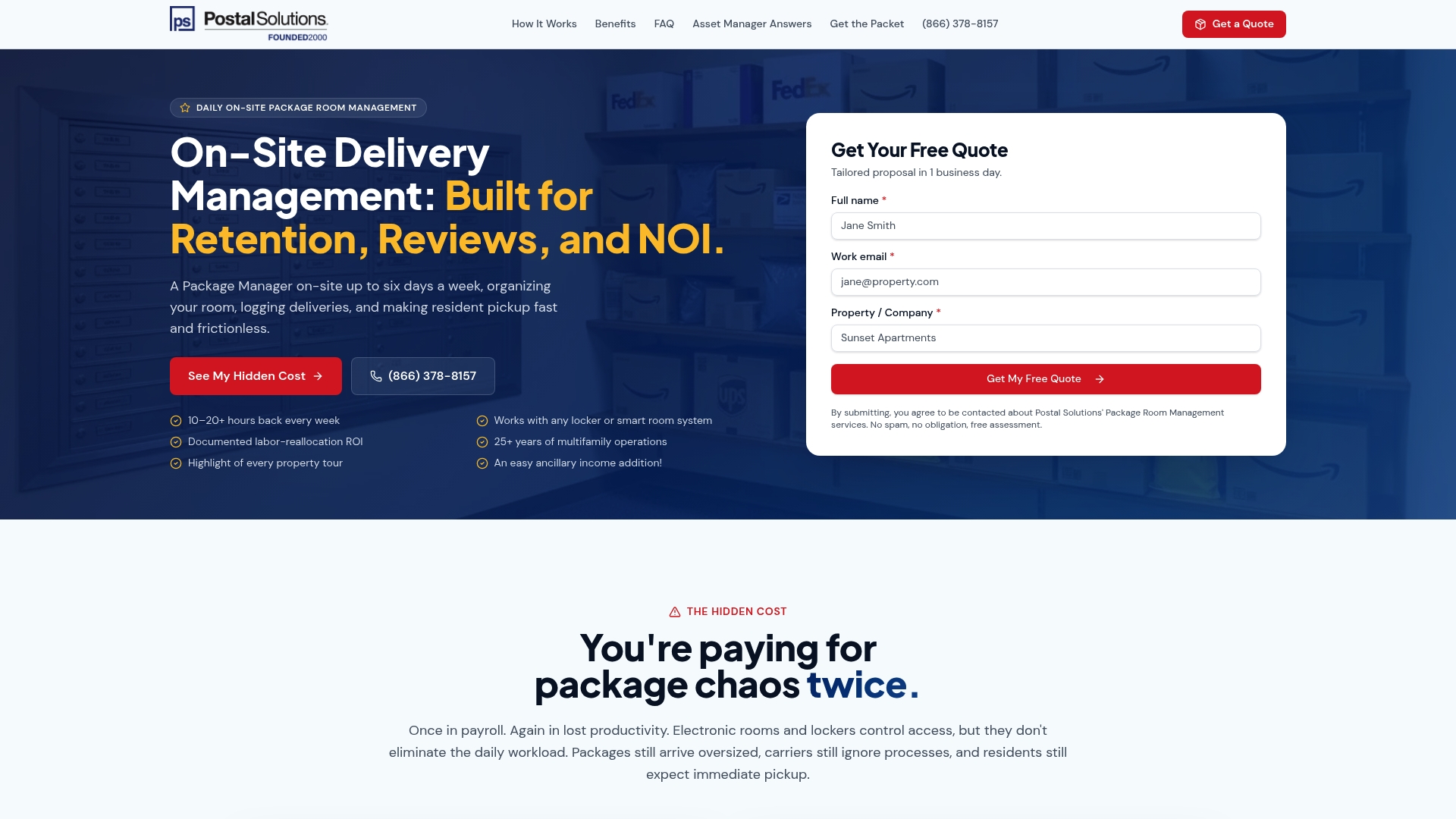
Postal Solutions’ On-Site Package Room Management puts a dedicated Package Manager at your property up to six days a week: receiving, sorting, logging chain-of-custody records, notifying residents, and running weekly audits. Your leasing team stops fielding package questions and starts focusing on leasing.
The service integrates with the locker or package room hardware you already have, including Luxer One systems, and covers overflow handling, carrier onboarding, and peak-period surge management. Many communities structure it as a paid resident amenity and retain the margin over the management cost.
Ready to get your team out of the package business? Download the free package room management guide or contact Postal Solutions to get a tailored labor-cost analysis for your property.
Sources
- A Framework for Solving Multifamily’s Package Management Problem | Insights by Blueprint
- How To Set Up A Package Room In 2026 | Swiftlane
- Managing Deliveries for Large Apartment Complexes | Smart Package Room
- Onsite vs Offsite Package Management: What You Need to Know
- What Package Wrangling Is Really Costing Your Team - Multifamily & Affordable Housing Business
FAQ
How many locker doors does a 200-unit apartment building need?
Plan for 80–100 locker doors across 6–7 towers, using the field-tested formula of 40–50 doors per 100 units and one tower per 30 units.
What is a good package dwell time target for apartment lockers?
Under 48 hours is the practical benchmark. Dwell time consistently above that level signals a notification gap or carrier compliance failure, not a hardware shortage.
How do time-limited carrier PINs improve locker utilization?
They prevent unauthorized or outdated credentials from remaining active, reduce driver bypass behavior, and create a documented access record for every delivery event.
Should apartment properties choose lockers, a package room, or both?
Most properties with 150+ units benefit from a hybrid setup: lockers handle routine parcels and a package room absorbs oversized items and peak-period overflow.
How does Postal Solutions help improve locker utilization?
Postal Solutions provides an on-site Package Manager up to six days a week who handles daily intake, chain-of-custody logging, carrier onboarding, resident notifications, and weekly audits, covering the operational layer that hardware alone cannot deliver.
Recommended
Ready when you are
Fix your package room — start with a free proposal
Daily on-site Package Manager, resident text & email pings*, and a tour-ready amenity. Tell us your unit count and we'll send a right-sized proposal — usually within one business day.
- ✓ 10–20+ hours back every week
- ✓ Works with any locker system
- ✓ Faster, friction-free resident pickup
- ✓ An easy ancillary income addition