
August 11, 2026
New Resident Package Onboarding: A Property Team Checklist
Streamline new resident package onboarding with our essential checklist, reducing support tickets and ensuring smooth move-ins.
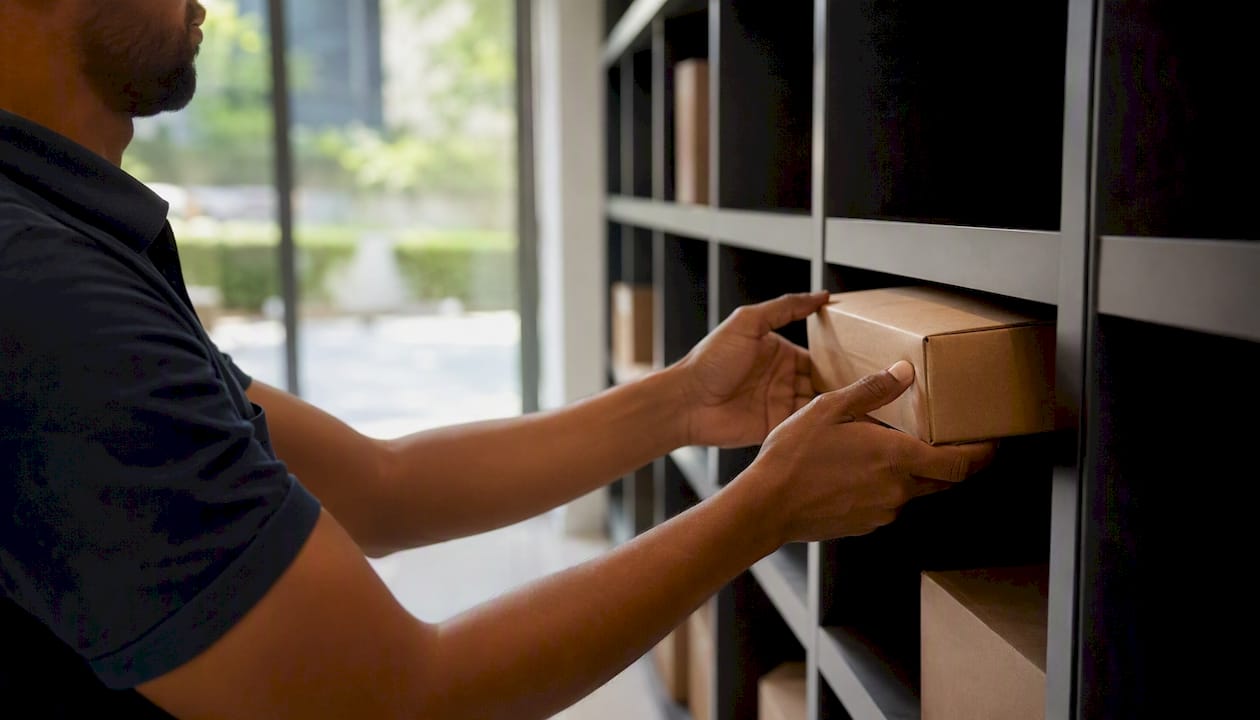
New resident package onboarding is the process of registering residents in your package system, assigning locker or room access, and establishing chain-of-custody procedures before their first delivery arrives. Get it right and first-month support tickets stay low. Miss it and your leasing team spends move-in week chasing lost parcels instead of closing renewals.
The five steps that prevent move-in chaos:
- Pre-register residents in the package system at least two weeks before move-in, pulling data directly from your property management system (PMS).
- Configure access by assigning locker compartments, PIN codes, mobile credentials, or fobs and testing each method before the resident arrives.
- Communicate delivery address formatting, pickup hours, and access instructions via email and SMS before move-in day.
- Test the first-delivery SOP by running a dry-run acceptance, logging a test package, and confirming the notification fires correctly.
- Monitor and adjust notification cadence, dwell times, and support ticket volume through weekly audits in the first 30 days.
Ownership at a glance: leasing team handles pre-registration and resident communications; the on-site Package Manager owns intake logging, shelf placement, and audits; carrier liaison is a shared responsibility between the Package Manager and building management.
Pro Tip: Download the free package room guide from Postal Solutions for ready-to-use templates, SOPs, and a move-in checklist you can deploy immediately.
Key Takeaways
Pre-registering residents and communicating access credentials before the first delivery is the single action that most reduces first-month support volume in new resident package onboarding.
| Point | Details |
|---|---|
| Pre-register two weeks out | Sync PMS data before move-in to eliminate notification failures on day one. |
| Communicate before first delivery | Send access credentials and address formatting 3–7 days before move-in to cut support tickets. |
| Test end-to-end before launch | Run a simulated carrier drop-to-pickup test 48 hours before the first move-in. |
| Track three core KPIs | Monitor median pickup time, dwell time, and first-month support tickets from week one. |
| Postal Solutions as turnkey option | On-site Package Manager covers intake, audits, and SOPs so leasing staff focus on leasing. |
Table of Contents
- What does new resident package onboarding look like step by step?
- Resident-facing templates your team can use today
- What system settings must you verify before move-in?
- First-delivery SOP: accepting, logging, and handing off packages
- Who should own each step: staffing and roles
- Integration and hardware testing before you onboard anyone
- A 30/60/90-day rollout plan that actually holds
- What does a managed package room actually cost, and what can it earn?
- KPIs and weekly audits that catch problems early
- Policies for oversized, refrigerated, and unclaimed packages
- What actually breaks onboarding, and how to fix it
- Postal Solutions handles onboarding so your leasing team doesn’t have to
- Useful sources and further reading
- FAQ
What does new resident package onboarding look like step by step?
A clean onboarding sequence runs from two weeks before move-in through the resident’s first confirmed pickup. Here is the order that works.
- Two weeks out: Pull the incoming resident list from your PMS. Pre-register each resident in the package system with the correct unit number, delivery address format (building name, unit number, suite designation), and preferred notification channel.
- One week out: Confirm PMS sync is complete. Verify that each resident’s record triggers a notification when a package is logged to their unit.
- Three to seven days out: Send the resident welcome message covering access method, delivery address format, pickup hours, and who to contact with questions. Properties that include package-room info before move-in see fewer first-month complaints.
- Move-in day: Verify credentials at the front desk, offer a 90-second kiosk walkthrough or send a text reminder with the access link. Escalate any unresolved credential failures immediately rather than leaving the resident to troubleshoot alone.
- First delivery window: Accept the package, photograph it, log the carrier, timestamp, and unit number, then confirm the notification fires. This is the moment your SOP either proves itself or exposes a gap.
- Post-first-delivery: Audit the chain-of-custody record, send a brief resident feedback prompt, and adjust notification timing if the resident did not pick up within 24 hours.
Pro Tip: Pre-registering residents two weeks out and syncing PMS data in advance practically eliminates “where is my package” calls on move-in day.
Resident-facing templates your team can use today
Reducing support volume starts with what you send before the first delivery, not after. These templates are plug-and-play.
Welcome email (send 3–7 days before move-in)
Subject: Your package pickup instructions at [Property Name] Your packages are delivered to our secure package room/lockers at [Address, Unit X]. Use [access method: app / PIN / fob] to retrieve them any time during pickup hours [Hours]. Format your delivery address exactly as follows: [Full Building Name], [Unit Number], [City, State, ZIP]. Questions? Contact [Name] at [Email/Phone].
Move-in day SMS
Welcome to [Property Name]! Your package access code is [PIN/link]. Pickup hours: [Hours]. Delivery address: [Exact format]. Reply HELP for assistance.
Front-desk script: “I can show you the package room right now — it takes about 90 seconds. Your access [code/app/fob] is already active. Here is how a pickup works…” Walk them through one simulated pickup before they leave the office.
One-page FAQ card for the move-in packet: Cover pickup hours, what happens with oversized items, refrigerated delivery rules, how long packages are held before a notice is sent, and the contact for disputes. Post a copy in the leasing office and include it in the move-in operations packet.
Pro Tip: Use exact delivery address formatting in every resident-facing communication. Including the building name, unit number, and suite designation in your resident communications cuts misrouted packages before they start.
What system settings must you verify before move-in?
System configuration is where onboarding either holds together or falls apart on day one. Check every item below before the first resident moves in.
Required PMS fields to map to the package system:
| Field | Required Format | Who Verifies |
|---|---|---|
| Resident full name | First + Last | Leasing team |
| Unit number | Building-Unit (e.g., A-number) | PMS admin |
| Move-in date | MM/DD/YYYY | Leasing team |
| Notification preference | SMS / Email / Both | Resident at lease signing |
| Access credential type | PIN / App / Fob | Package Manager |
Beyond the field mapping, run these checks:
- Confirm API sync between PMS and package software fires within 15 minutes of a new record being created.
- Test each credential type (mobile app, PIN, fob) on the physical hardware before the resident arrives.
- Verify notification fallback: if SMS fails, does the system send email automatically?
- For locker systems, confirm PMS integration automates compartment assignment rather than requiring manual input.
- Size the room or locker bank for peak volume, not average. A community that averages 1.2 packages per unit per day can see three times that during move-in week.
Pro Tip: Run a full end-to-end test — simulate a carrier drop, log the package, and confirm the resident notification fires — at least 48 hours before the first move-in date. That window gives you time to fix a broken API token without a resident waiting.
First-delivery SOP: accepting, logging, and handing off packages
A reproducible first-delivery SOP protects the property from liability and gives residents confidence from day one.

Carrier drop-off: Carriers access the room via time-limited PIN, video intercom, or carrier-specific mobile credential with an audit trail. Log the access timestamp automatically through the camera or access-control system.
Intake logging checklist:
- Photograph the package label (carrier, tracking number, unit number).
- Record: time received, carrier name, unit number, shelf location.
- Place the package on the correct shelf or in the assigned locker compartment immediately.
- Trigger the resident notification within five minutes of intake.
Security steps: After intake, cross-reference the camera log timestamp with the access-control record. Any discrepancy between the two is an escalation trigger, not a note for later.
Resident pickup handoff: When the resident retrieves the package, scan or log the pickup confirmation and record the timestamp. If your system requires ID verification, confirm the process is consistent across all staff. The pickup confirmation closes the chain-of-custody record for that parcel.
Pro Tip: Consistent chain-of-custody logging from carrier drop to resident pickup is the single most effective defense against “I never received it” disputes.
Who should own each step: staffing and roles
The right division of labor depends on your package volume and staff capacity.
Role matrix:
| Task | Leasing Staff | On-Site Package Manager | Notes |
|---|---|---|---|
| Resident pre-registration | Primary | Support | Pull from PMS two weeks out |
| Intake logging | Backup | Primary | Daily, every delivery |
| Resident support/disputes | Primary | Support | Escalate access failures same day |
| Weekly audits | None | Primary | Chain-of-custody + camera spot checks |
| Overflow/oversized handling | None | Primary | Requires dedicated space and SOP |
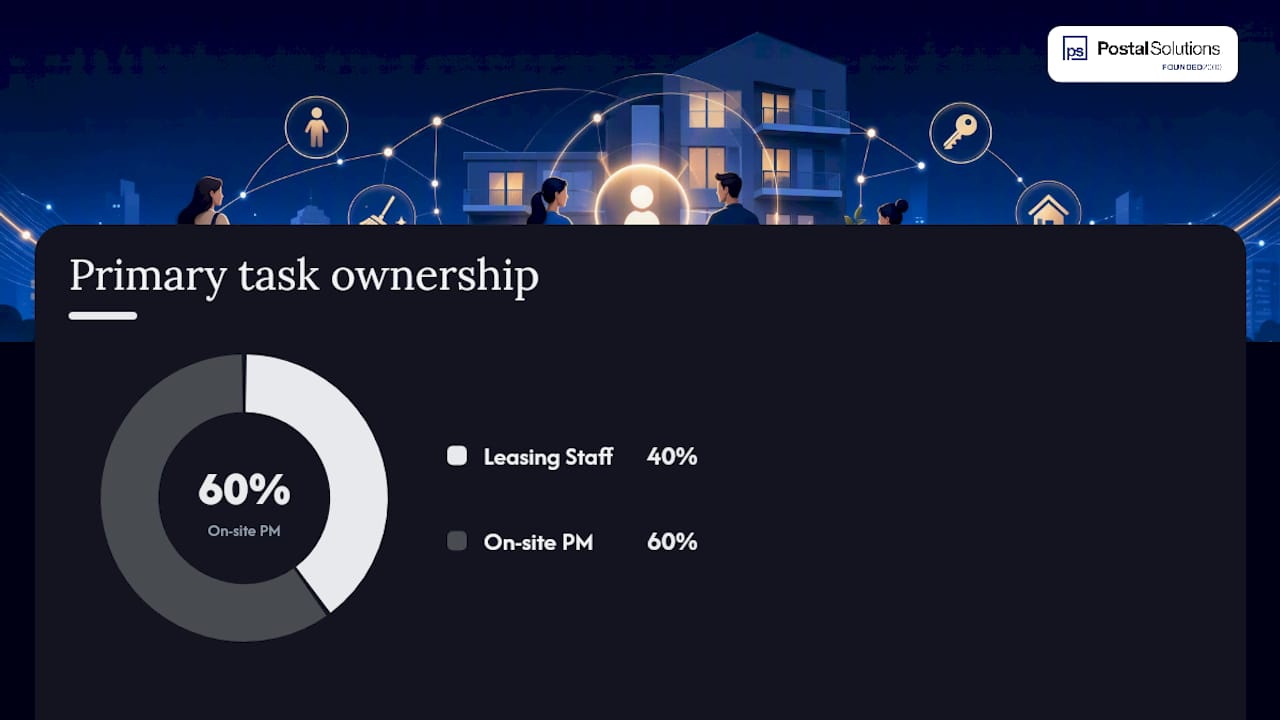
When package volume exceeds what leasing staff can absorb without affecting their core work, a dedicated on-site Package Manager becomes the right call. Postal Solutions’ model places a Package Manager on-site up to six days per week, handling intake, logging, audits, and resident support so leasing staff stay focused on leasing. For context on when staff become overwhelmed, volume thresholds vary by property size, but the signal is usually visible in support ticket counts and staff overtime hours.
Shift handover note (sample): “Packages received today: [count]. Unclaimed over 48 hours: [count, unit numbers]. Access issues reported: [count]. Audit due: [date].”
Pro Tip: Schedule package room coverage to include evening hours, particularly 6–9 PM, when resident pickup activity peaks. A room that closes at 5 PM creates a backlog by morning.
Integration and hardware testing before you onboard anyone
Every component in the chain needs to be tested end-to-end before residents arrive.
Integration checklist:
- Locker firmware is current and compartment assignments sync with the package software.
- Access-control logs and camera timestamps are synchronized to the same clock source.
- PMS field mappings are confirmed and the API token refresh cadence is documented.
- User provisioning scopes are verified with the locker or access-control vendor.
- Notification service (SMS gateway, email provider) is tested with real phone numbers and email addresses.
End-to-end test plan:
- Simulate a carrier drop using a test package with a real unit number.
- Log the package in the system and confirm the intake record is created.
- Verify the resident notification fires within five minutes.
- Retrieve the package using each credential type (PIN, app, fob).
- Confirm the pickup confirmation record closes the chain-of-custody entry.
- Pull the camera log and verify the timestamps match the system records.
Pro Tip: Ask your locker or access-control vendor for the API token refresh interval in writing. Tokens that expire without automatic renewal are a common cause of silent notification failures on move-in day.
A 30/60/90-day rollout plan that actually holds
Days 1–30 (prepare and pilot):
- Complete PMS field mapping and API integration testing.
- Pre-register the earliest 10 move-ins and send their welcome communications.
- Post the one-page FAQ card in the leasing office.
- Run the first end-to-end test with a simulated package.
Days 31–60 (train and test):
- Complete staff kiosk training and distribute the shift handover template.
- Pilot the first-delivery SOP with live move-ins and document any gaps.
- Run the first weekly audit and capture baseline KPIs (pickup time, dwell time, support tickets).
Days 61–90 (full rollout and tune):
- All move-ins are pre-registered before arrival.
- Weekly audits are on a fixed schedule with a named owner.
- Run a resident satisfaction pulse (a short resident package survey or a direct feedback prompt) and adjust notification cadence based on results.
Quick wins you can execute this week: pre-register the next 10 scheduled move-ins, send the move-in day SMS template to anyone moving in within seven days, and schedule the first weekly audit.
What does a managed package room actually cost, and what can it earn?
Typical cost items:
- Staffing hours for intake, logging, and audits (in-house or contracted).
- Shelving or locker amortization over the hardware lifecycle.
- Package management software subscription fees.
- Camera and access-control hardware (one-time plus maintenance).
Ancillary income models: Many communities charge a monthly package amenity fee per unit, ranging from a nominal convenience charge to a tiered fee based on delivery volume. Others apply a storage surcharge for packages held beyond a defined hold period. Either model can offset or exceed the cost of managed service, turning a budget line item into a revenue contributor. For a detailed look at apartment package management services and ROI examples, Postal Solutions publishes a breakdown of staffing models and cost structures.
Simple ROI framework: (Monthly ancillary fee per unit × occupied units) + (leasing staff hours recovered × hourly rate) minus monthly management cost = net monthly impact. A 200-unit property charging $10/unit/month generates $2,000 in gross amenity revenue before accounting for recovered staff time.
Pro Tip: Size the ancillary fee to what the market supports, not just what covers costs. Residents in markets with high delivery volume often accept a modest fee without friction when the service is visibly well-run.
KPIs and weekly audits that catch problems early
Core KPIs to track from day one:
| KPI | Target | Owner |
|---|---|---|
| Median pickup time | Under 24 hours | Package Manager |
| Package dwell time | Under 48 hours | Package Manager |
| First-month support tickets | Declining week over week | Leasing team |
| Staff hours on packages | Decreasing after week 2 | Property Manager |
| Unclaimed package rate | Under 5% of weekly intake | Package Manager |
Weekly audit steps:
- Sample five chain-of-custody records and verify each has a carrier log, intake photo, notification timestamp, and pickup confirmation.
- Pull camera-log spot checks for two random intake events and confirm timestamps match system records.
- Compare shelf capacity against the week’s projected delivery volume.
- Review support tickets for patterns (access failures, notification gaps, misrouted packages).
Improving resident satisfaction with package delivery is directly tied to notification reliability and pickup speed. Both show up in the KPIs above within the first 30 days.
Policies for oversized, refrigerated, and unclaimed packages
Oversized and freight deliveries:
Refrigerated items: Accept only if the property has a designated refrigerated storage unit. Notify the resident immediately upon receipt and require pickup within four hours. If no refrigerated storage is available, the carrier should be instructed not to leave perishables unattended.
Unclaimed packages (escalation flow):
- Notification sent at intake.
- Second notification at 48 hours.
- Final notice at 72 hours with storage fee warning.
- After seven days, escalate to leasing team for resident contact.
- After 14 days, return to carrier or hold per property policy.
Access disputes: Log the dispute with a timestamp, pull the camera record for the relevant intake window, and respond to the resident within 24 hours. Never resolve a dispute based on memory alone.
Sample resident response for a missing package complaint: “We have logged your inquiry and are reviewing the chain-of-custody record and camera footage for your delivery. We will follow up within 24 hours with our findings.”
What actually breaks onboarding, and how to fix it
The failure mode that shows up most often is not a technology problem. It is a timing problem. Leasing teams send package-room instructions on move-in day, after the resident has already had a package delivered to the wrong address or left at the front door. By then, the first impression is set.
The fix is mechanical: communicate before the first delivery, not after. A welcome email sent three to seven days before move-in, with exact delivery address formatting and access credentials, eliminates the most common first-month complaint before it happens. Properties that add a 90-second kiosk walkthrough on move-in day see residents adopt self-service pickup faster and call the front desk less.
The second failure mode is a PMS sync that nobody tested. A resident pre-registered in the package system with the wrong unit number format receives no notification when their first package arrives. They call the front desk. The front desk checks the shelf. The package is there. The trust is already damaged.
Twenty-five years of on-site package room operations at Postal Solutions have shown that the properties with the fewest first-month problems share one habit: they treat the package room as a resident-facing service that requires the same pre-launch preparation as any other amenity, not as a back-office function that runs itself.
Postal Solutions handles onboarding so your leasing team doesn’t have to
Your leasing team is good at leasing. Package intake, chain-of-custody logging, weekly audits, and carrier coordination are a different job, and doing both at once means neither gets done well.
Postal Solutions places a dedicated on-site Package Manager at your property up to six days per week. Pre-registration, first-delivery SOPs, chain-of-custody documentation, refrigerated handling, overflow management, and weekly audits are all covered. Your leasing staff get their hours back. Residents get a package room that works from day one. And the service can be structured as a paid amenity, so the operation can help pay for itself.
With 25 years of on-site package room experience, Postal Solutions works with any locker or package room hardware you already have. Download the free package room guide for the full implementation checklist and resident templates, or contact Postal Solutions for a site assessment.
Useful sources and further reading
Postal Solutions resources:
- Move-In Packages: A Property Manager’s Operations Plan — operational timing and communication channels
- Package Notification System for Apartments: A Manager’s Guide — notification timing, channels, and templates
- Package Room Management for Apartments: A Manager’s Guide — sizing, shelving, and camera placement
External reading:
- How To Set Up A Package Room in 2026 | Swiftlane — access-control methods and carrier workflow best practices
- Managing Move-In Day Logistics for 200+ Unit Buildings | Smart Package Room — pre-registration timing and PMS sync guidance
FAQ
What is new resident package onboarding?
New resident package onboarding is the process of registering a resident in the building’s package system, assigning locker or room access credentials, and establishing chain-of-custody procedures before their first delivery arrives.
When should residents be pre-registered in the package system?
Pre-register residents at least two weeks before their move-in date, syncing data directly from the PMS to avoid unit number mismatches that cause notification failures.
What are the most important KPIs to track after launch?
Median pickup time, package dwell time, and first-month support ticket volume are the three metrics that most quickly reveal whether onboarding is working.
How does Postal Solutions support new resident package onboarding?
Postal Solutions places a dedicated on-site Package Manager at the property to handle pre-registration, first-delivery SOPs, chain-of-custody logging, and weekly audits, removing that workload from leasing staff entirely.
What should a resident package FAQ card include?
It should cover pickup hours, delivery address formatting, oversized and refrigerated item policies, how long packages are held before a notice is sent, and the contact for access disputes.
Recommended
- Move-In Packages: A Property Manager’s Operations Plan — Postal Solutions Blog
- Resident Package Management for Property Managers: A Practical Guide — Postal Solutions Blog
- Improve Resident Satisfaction with Package Delivery in 2026 — Postal Solutions Blog
- Apartment Package Management Services: 2026 Guide — Postal Solutions Blog
Ready when you are
Fix your package room — start with a free proposal
Daily on-site Package Manager, resident text & email pings*, and a tour-ready amenity. Tell us your unit count and we'll send a right-sized proposal — usually within one business day.
- ✓ 10–20+ hours back every week
- ✓ Works with any locker system
- ✓ Faster, friction-free resident pickup
- ✓ An easy ancillary income addition