
August 4, 2026
Package Room Hours for Residents: What to Expect
Discover essential details about package room hours for residents. Check your portal for pickup times and make sure your package is ready!
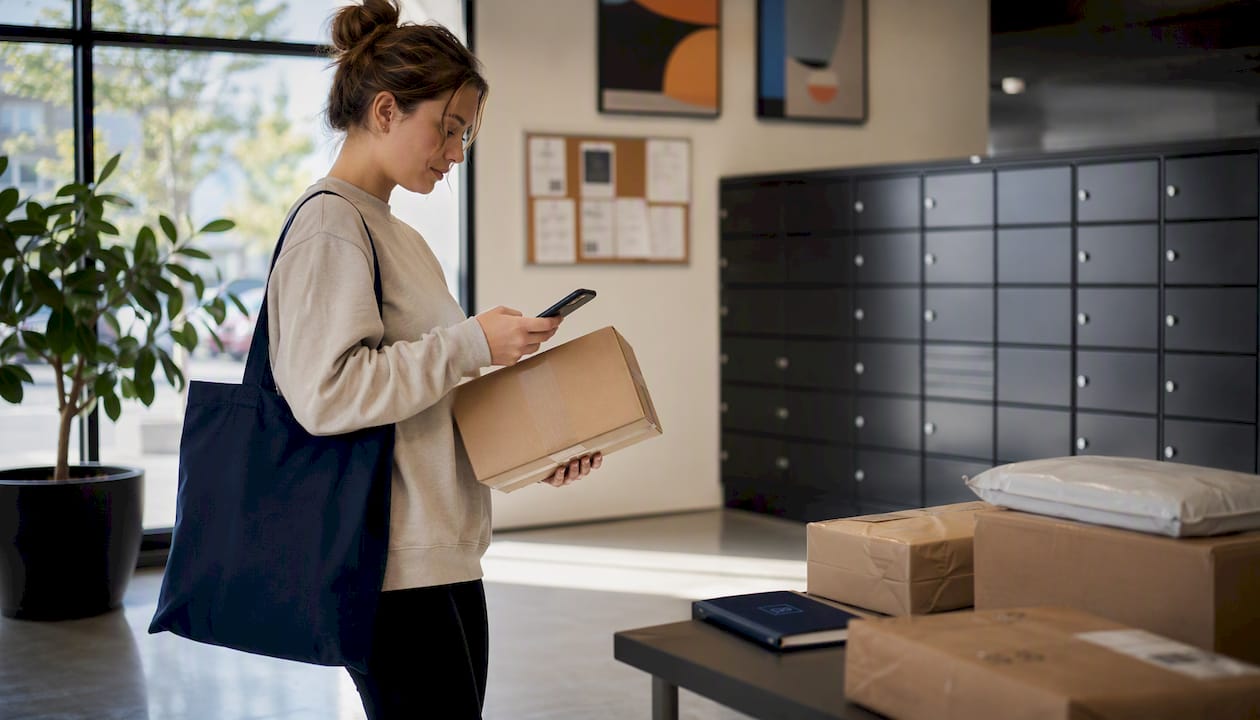
Most staffed package rooms typically open in the morning hours on weekdays and close in the early to late evening. Weekend hours tend to be shorter or nonexistent. Before you make the trip, check your resident portal or the “ready for pickup” notification you received — that single step will save you a wasted walk.
Typical package room access hours at a glance:
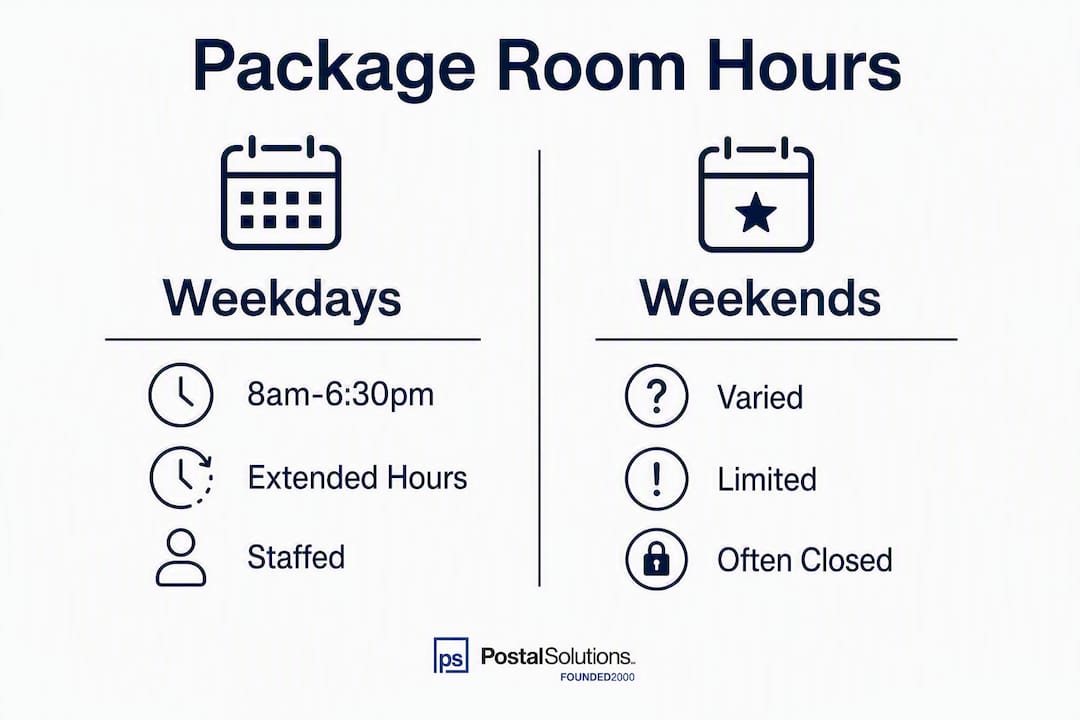
- Weekday staffed rooms: 8:00 a.m. – 6:30 p.m.; some properties may extend to 8:00 p.m.
- Saturday: 10:00 a.m. – 4:00 p.m.; some locations are closed entirely
- Sunday: Closed at most staffed locations
- 24/7 automated lockers: Anytime access via QR code or PIN, where available
- Holidays and semester breaks: Reduced hours or full closure; always verify in advance
One action before you leave: open your resident portal or the notification text/email you received and confirm the room is open and your package status shows “ready for pickup.”
Table of Contents
- What do package room hours actually look like?
- How do holidays and semester breaks affect package pickup times?
- Can you access your packages 24/7 with lockers?
- How do you find the exact hours for your specific package room?
- What should you do if you arrive outside posted hours?
- How long do package rooms hold items before returning them?
- What services do package rooms typically offer?
- How Postal Solutions changes package room hours and reliability
- Key Takeaways
- The mistake most residents make — and the fix
- Reliable package room hours start with the right management
- Useful sources and quick links
- FAQ
What do package room hours actually look like?
Package room hours vary more than most residents expect. A staffed room at one building might close at 5:00 p.m. sharp; the next building over might run until 8:00 p.m. The difference usually comes down to whether the property uses a staffed counter, an automated locker system, or a hybrid of both.
Here are the most common patterns:
- Staffed rooms (weekdays): Open roughly 8:00 a.m. – 6:30 p.m., with some extending to 8:00 p.m.
- Staffed rooms (weekends): Saturday hours often run 10:00 a.m. – 4:00 p.m.; Sunday is frequently closed
- Automated lockers: Available 24/7 where installed; residents use a QR code or PIN from their notification
- Hybrid setups: Lockers handle after-hours pickups; staff handle oversized items during business hours
The table below shows real posted schedules from campus housing programs to illustrate how much variation exists.
| Location | Weekday Hours | Saturday | Sunday |
|---|---|---|---|
| UNC Carolina Housing | Mon–Fri 10:00 a.m. – 6:30 p.m. | 10:00 a.m. – 4:00 p.m. | Closed |
| UCI Arroyo Vista | Mon–Fri 8:00 a.m. – 8:00 p.m. | — | — |
The UCI schedules run much later than most because those mailrooms are resident-staffed and designed for student schedules. A traditional apartment community is unlikely to match those hours. If your building uses a staffed counter with a small team, expect something closer to the UNC model.
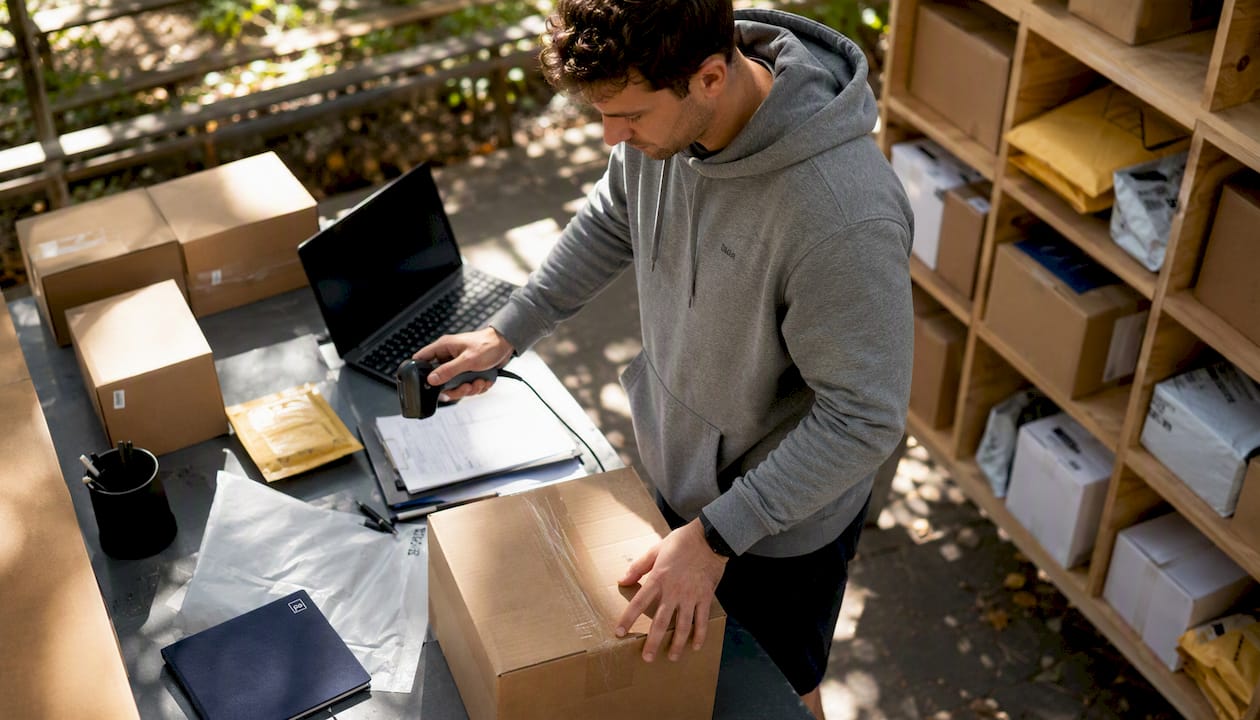
One thing that does not change: oversized packages almost always require staff. Even at properties with 24/7 lockers, very large items are held for pickup during business hours.
How do holidays and semester breaks affect package pickup times?
This is where residents get caught off guard most often. A package room that runs reliably Monday through Friday can go dark for a week during winter break with almost no warning beyond a sign on the door.
Common patterns to know:
- Federal holidays: Most staffed rooms close on major federal holidays (Thanksgiving, Christmas, New Year’s Day, July 4th, Labor Day, Memorial Day).
- Winter break: Hours typically shrink to a few days per week or close entirely for 1–2 weeks.
- Spring break: Reduced hours are common; some properties close entirely if staff are on leave.
- Move-in and move-out periods: Hours may actually expand temporarily, but the room fills fast and overflow procedures kick in quickly.
- Between academic terms: Campus properties often drop to minimal staffing, which means parcel room access hours are limited even if the building itself is open.
The most reliable way to catch these changes before they affect you: check your resident portal for a posted holiday schedule, look for a pinned notice in the building app or email, and save the mail center’s phone number now rather than hunting for it on a holiday weekend.
Pro Tip: If your property uses a package management system like Postal Solutions, holiday hour changes are typically pushed out as resident notifications in advance. If you haven’t received one and a break is coming, call the mail center directly rather than assuming normal hours apply.
Can you access your packages 24/7 with lockers?
Yes, but with limits. Automated package lockers let residents retrieve packages at any hour using a QR code or PIN sent directly to their phone or email. Packages are typically processed promptly after delivery, and once the locker is assigned, the system sends a notification with the access code. No staff interaction required.
The trade-offs are real, though:
- Size limits: Most lockers handle standard parcel sizes. Anything oversized goes to a staffed area and requires a pickup during business hours.
- System dependency: If the locker’s software or internet connection goes down, access codes may not work. This is rare but happens.
- Locker availability: During high-volume periods (holidays, move-in week), lockers fill up. Some properties route overflow to a staffed room, which brings you back to posted hours.
- Not universal: Not every building has lockers. If yours doesn’t, 24/7 access simply isn’t an option.
For properties that do have lockers, the combination of 24/7 self-service retrieval and staffed hours for oversized items covers most resident needs. The gap shows up when lockers are full or when a package is too large to fit. That’s when knowing the staffed room’s hours actually matters.
How do you find the exact hours for your specific package room?
Posted hours for your building are almost never the same as the general schedule you find on a Google search. Here’s the fastest way to get the right answer:
- Visit the building or mail center webpage — Campus housing programs typically maintain a dedicated mail and packages page with posted hours and holiday schedules.
A detail worth knowing: staff rely on the package management system’s status to retrieve items. Visiting before your notification arrives is the single most common source of friction between residents and package room staff. The system has to show “ready for pickup” before staff can locate your item efficiently. Arriving early doesn’t speed things up.
Pro Tip: Save the mail center’s phone number in your contacts now. When you’re standing outside a closed door with a time-sensitive delivery, hunting for a number you don’t have is the last thing you want to be doing.
What should you do if you arrive outside posted hours?
It happens. You get there at 6:45 p.m. and the door is locked. Here’s what to do, in order:
- Check for a locker notification. If your building has automated lockers, look for a QR code or PIN in your original pickup notification. Lockers are accessible even when the staffed room is closed.
- Use carrier tracking to check redelivery options. UPS, FedEx, and USPS all offer redelivery scheduling or hold-at-location options through their apps. If the package hasn’t been logged into the building’s system yet, this may still be possible.
- Contact the mail center or property management. Some properties have an after-hours line or a leasing office that can confirm whether your package is secured and when you can pick it up next.
- Ask about overflow or contingency pickup locations. Oversized items or packages that didn’t fit in a locker are sometimes staged in a leasing office or a secured secondary room. Property management can confirm this.
A few things to avoid: don’t leave personal information on a note attached to the door, and don’t expect staff to search for a package without a system notification in hand. If your package shows “in transit” rather than “ready for pickup,” it may not have been processed yet regardless of when you arrive.
When to escalate to the carrier versus property management: if the tracking shows delivered but your portal shows nothing, start with property management. If the carrier’s tracking shows a delivery exception or failed attempt, start with the carrier.
How long do package rooms hold items before returning them?
Holding periods typically range from 3 to 14 days, with the specific window depending on the property’s policy and current storage capacity. During peak holiday periods, many properties shorten that window to free up space for the surge in incoming deliveries.
What happens when the window closes:
- Aging tags: Staff flag unclaimed packages in the system, often with a second notification to the resident.
- Overflow storage: Items may be moved to a secondary secured area, which may have different access procedures.
- Return to sender: After the full holding period, unclaimed packages are typically returned to the carrier or shipper.
Special cases to know about:
- Perishables: Refrigerated or temperature-sensitive deliveries have much shorter windows, sometimes 24–48 hours. Properties with refrigerated storage will hold them briefly; those without may contact the resident immediately and require same-day pickup.
- Oversized packages: These take up floor space and are often flagged for pickup faster than standard parcels.
- High-value items: Some properties require a signature or ID for pickup, which means you can’t send someone else without prior authorization.
The practical takeaway: don’t treat the holding period as a storage service. Pick up within 48–72 hours of the notification and you’ll never have to worry about the policy.
What services do package rooms typically offer?
A well-run package room does more than hold boxes. Here’s what residents can generally expect:
- Acceptance and logging: Staff scan every incoming package and log it in a management system, creating a chain-of-custody record from the moment it arrives.
- Resident notifications: with pickup instructions or a locker PIN. You shouldn’t have to check manually.
- Locker assignment: Where lockers are available, the system assigns a unit automatically and sends the access code.
- Oversized package handling: Items too large for standard lockers are staged in a designated area and held for staffed-hours pickup.
- Refrigerated deliveries: Some properties accept temperature-sensitive packages and hold them in a refrigerated unit; availability varies.
Common rules and prohibited items to know before you ship anything to your building:
- Flammable or hazardous materials are not accepted
- Firearms, ammunition, and dangerous goods are prohibited
- Large automotive parts are typically refused
- Perishables without refrigeration arrangements may be refused or require immediate pickup
- Cash, negotiable instruments, and high-value items may require special handling or may not be accepted at all
If you’re expecting something unusual, call the mail center before it ships. Finding out a package was refused after the fact is a much harder problem to solve.
How Postal Solutions changes package room hours and reliability
The inconsistency residents experience with package pickup times often comes down to one thing: the property’s leasing staff is managing packages on top of everything else they do. When package volume spikes, hours get cut. When staff turn over, procedures break down.
Postal Solutions’ On-Site Package Room Management addresses this directly. A dedicated on-site Package Manager works the community up to six days a week, handling daily acceptance, sorting, chain-of-custody logging, resident text and email notifications, weekly audits, overflow handling, and integration with existing locker hardware. The leasing team stops touching packages entirely.
What this means for residents in practical terms:
- Consistent posted hours backed by dedicated staff, not whoever is available that day
- Managed holiday and move-in coverage so hours don’t silently shrink during the periods when volume is highest
- Overflow protocols that keep packages organized and accessible even when the room is at capacity
- Clearer notifications tied to a professional chain-of-custody workflow
Student housing research increasingly points to connected technology and operational intelligence as the answer to full-capacity package operations, not simply adding more storage. Postal Solutions has been building exactly that model for 25 years, across apartment and student housing communities nationwide.
For properties already using locker hardware like Luxer One, Postal Solutions integrates directly with the existing system, so 24/7 locker access and staffed-hours management work together rather than as separate, disconnected services.
Key Takeaways
Most package room questions come down to one rule: wait for the “ready for pickup” notification, then confirm hours before you go.
| Point | Details |
|---|---|
| Typical weekday hours | Staffed rooms generally run 8:00 a.m. – 6:30 p.m.; some properties may extend to 8:00 p.m. |
| Weekend and holiday access | Saturday hours are reduced; most staffed rooms close Sunday and on federal holidays. |
| 24/7 locker access | Automated lockers provide anytime retrieval via QR code or PIN, but size limits apply. |
| Holding periods | Properties typically hold packages 3–14 days; windows shorten during peak holiday periods. |
| Postal Solutions | On-Site Package Room Management provides dedicated staffing, consistent hours, and locker integration for apartment and student housing communities. |
The mistake most residents make — and the fix
The most common package room complaint isn’t about hours. It’s about showing up before the system is ready. A resident gets a carrier notification that their package was delivered, walks to the room 20 minutes later, and finds staff who can’t locate it because it hasn’t been logged yet. That gap between “delivered to building” and “ready for pickup” is where most frustration lives.
The fix is simple but counterintuitive: wait for the building’s notification, not the carrier’s. The carrier’s “delivered” scan means it arrived at the property. The building’s notification means it’s been processed, logged, and assigned a location. Those two events can be hours apart during busy periods.
A second mistake: assuming that because lockers are on-site, the whole operation runs 24/7. Lockers handle standard parcels around the clock. Oversized items, refrigerated deliveries, and anything that didn’t fit in a locker still require a staffed pickup during posted hours. Knowing that distinction before you need it saves a trip.
And the third: not saving the mail center’s contact information until there’s a problem. By then, you’re searching for a number while standing in a hallway. Save it now, alongside your package notification system settings, and you’ll have everything you need when something goes sideways.
Reliable package room hours start with the right management
If you manage an apartment or student housing community and your residents are regularly missing pickups, showing up outside hours, or calling the leasing office about lost packages, the issue usually isn’t the hours themselves. It’s the absence of a dedicated operation behind them.
Postal Solutions’ On-Site Package Room Management puts a dedicated Package Manager on-site up to six days a week: accepting, sorting, logging, notifying, and managing overflow so your leasing team never touches a box. The result is posted hours that actually hold, residents who know exactly when and where to pick up, and a package room that works as an amenity rather than a liability.
Properties using Postal Solutions also benefit from direct integration with existing locker hardware, managed holiday and move-in staffing, and a free downloadable guide that walks through the full setup. For communities evaluating service models, the Postal Solutions vs. Package Concierge comparison breaks down the operational differences in plain terms.
Request a property evaluation to see what consistent, staffed package room hours would look like for your community.
Useful sources and quick links
Use these to verify hours and rules for your specific building:
- UNC Carolina Housing — Package Centers: Example of a published campus schedule with weekday, Saturday, and holiday hours.
- UCI Student Housing — Mail & Package Delivery: Detailed pickup hours by residence hall, useful as a reference for extended-hours models.
- UW HFS — Mail and Packages: Explains 24/7 locker access, processing timelines, and oversized item procedures.
- USPS shipping restrictions via Easyship: Reference for prohibited and restricted items before you ship anything to your building address.
- NAA — Package Management Best Practices: Industry guidance on holding periods, staffing, and notification workflows.
FAQ
What are typical package room hours on weekdays?
Most staffed package rooms open at 8:00 a.m. and close at 6:30 p.m., with some properties extending hours to 8:00 p.m. Always confirm with your resident portal or building notification, since hours vary by property.
What items are not allowed in the package room?
Package rooms typically refuse flammable or hazardous materials, firearms and ammunition, large automotive parts, and perishables without refrigeration arrangements. High-value cash or negotiable instruments are also commonly prohibited.
What happens if I don’t pick up my package in time?
Most properties hold packages for 3–14 days before returning them to the sender. During peak holiday periods, that window is often shortened; you’ll typically receive a second reminder notification before the item is returned.
What time does USPS consider end of day for deliveries?
USPS does not publish a universal end-of-day cutoff for residential deliveries, but most routes complete by 8:00 p.m. The building’s package room processes incoming items after the carrier drops them off, so your “ready for pickup” notification may arrive hours after the carrier’s “delivered” scan.
What services does the package room offer beyond holding packages?
A standard package room accepts and logs all incoming deliveries, sends email and SMS pickup notifications, assigns locker units where available, handles oversized items during staffed hours, and maintains a chain-of-custody record for every package. Some properties also offer refrigerated storage for temperature-sensitive deliveries.
Recommended
- Package Room Management for Apartments: A Manager’s Guide — Postal Solutions Blog
- Package Room Reviews: What Property Managers Should Check — Postal Solutions Blog
- Resident Package Management for Property Managers: A Practical Guide — Postal Solutions Blog
- Free Guide: Package Room Management for Apartments (PDF)
Ready when you are
Fix your package room — start with a free proposal
Daily on-site Package Manager, resident text & email pings*, and a tour-ready amenity. Tell us your unit count and we'll send a right-sized proposal — usually within one business day.
- ✓ 16–30 hours back every week
- ✓ Works with any locker system
- ✓ Faster, friction-free resident pickup
- ✓ An easy ancillary income addition