
September 22, 2026
Property Managers: Replace Package Logbook, Keep Chain of Custody
Property managers' checklist to replace a package logbook and preserve the chain of custody. Includes six required fields and pilot steps.
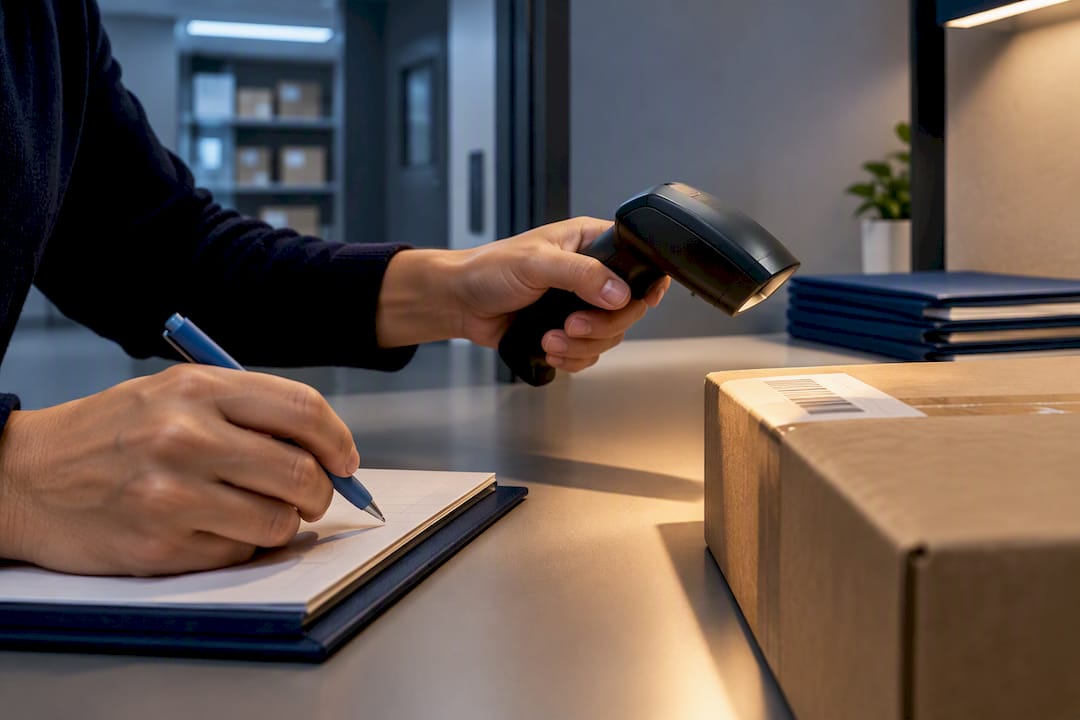
Replace your old package log today: freeze it the moment your next courier walks in, and start intake on a structured custody log, paper or digital, before that same delivery driver leaves the property. The new form needs six fields at minimum: carrier, tracking number, recipient and unit, arrival date, storage location, and pickup proof. Do this first, then handle staff training and system migration over the following days. Chain-of-custody and resident notifications can’t lapse for even one shift.
TL;DR:
- Using a structured custody log with six minimum fields helps prevent package misplacement during staff shifts and system transitions.
- Pilot the new log format at a slow intake point for one to two weeks to identify issues before full rollout and staff training.
- Digital records are ideal for high-volume buildings due to faster processing and automatic notifications, but paper works well for low-volume sites or outage-prone areas.
- A well-enforced log chain relies on consistent entry standards, including pickup proof like photos or signatures, and regular weekly audits to catch discrepancies early.
- Employing a dedicated package manager ensures the custody chain remains intact, preventing staff overload and reducing ongoing package management errors.
Table of Contents
- What Do You Need Before You Replace the Package Logbook?
- How Do You Replace a Package Logbook Step by Step?
- Should You Go Paper, Digital, or Hybrid?
- What Governance Rules Keep the New Log Defensible?
- What Does a Sample Log Entry Look Like?
- What Do 25 Years of Package Room Operations Teach About Logging?
- When Is a New Log Enough, and When Does It Signal a Bigger Problem?
- How Postal Solutions Keeps Your New Log Running
- Reference Guides for Package Logging
- Sources
- FAQ
What Do You Need Before You Replace the Package Logbook?
A rushed switch is how properties lose packages mid-transition. Before you touch the old log, stage everything the new one needs.
Every entry on the new log requires these fields, no exceptions:
- Carrier name (UPS, FedEx, USPS, Amazon, DoorDash, etc.)
- Tracking number, scanned or handwritten legibly
- Recipient name and unit number, matched against the resident directory
- Arrival date and time
- Storage location (shelf, bin, or locker number)
- Staff initials at intake and again at pickup
Notify four groups before the switch date: leasing staff, front desk or concierge, maintenance (in case they intercept deliveries), and your carrier reps, following best practices from apartment community parking management software to coordinate on-site flows efficiently. A short notice works: “Starting [date], all packages must be logged using our new intake form before storage. Please continue leaving deliveries at the usual drop point.” Stage a label printer or handheld scanner, a phone or camera for label photos, printed template pads, and signage pointing to the new pickup counter. On day one, enforce two non-negotiable rules: nothing gets shelved until it’s logged, and nothing leaves the shelf without signed or photographed pickup proof.
How Do You Replace a Package Logbook Step by Step?
Rolling out a logbook replacement process works best as a five-stage sequence rather than a single flip-the-switch event. Rushing straight to rollout is the most common way properties end up with two competing logs running at once.
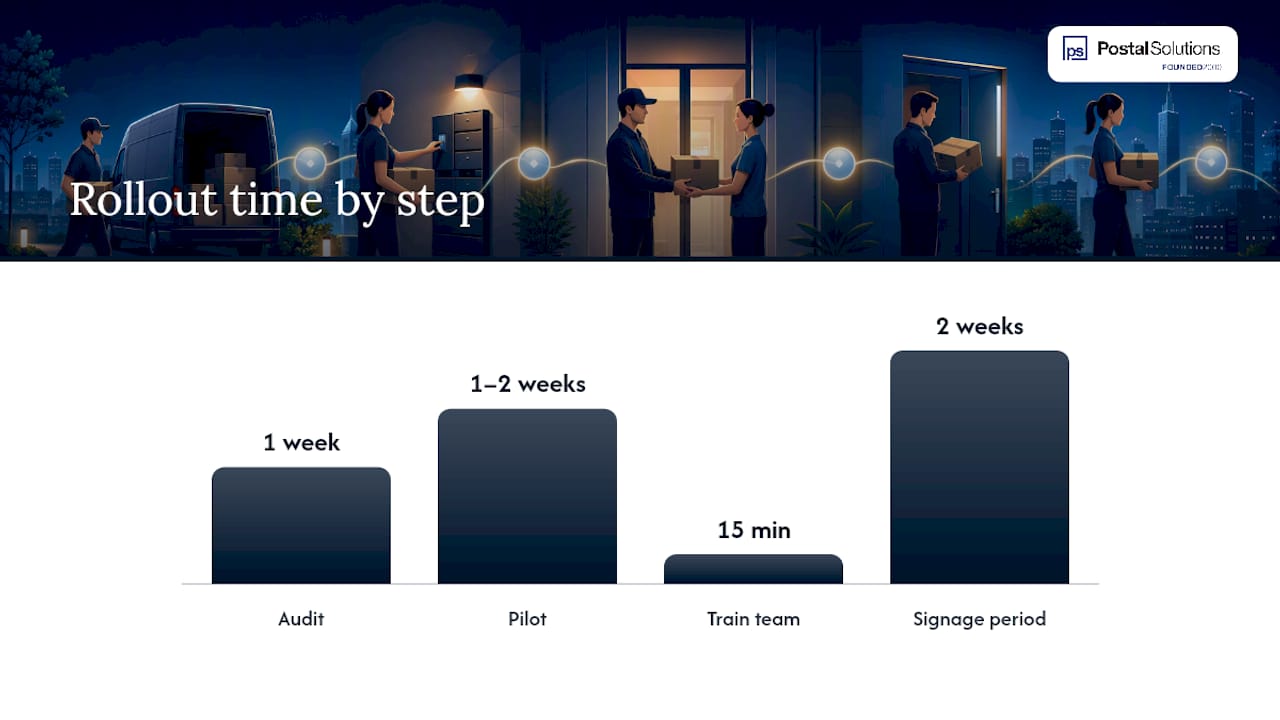
- Audit current practice. Count daily package volume for one full week, note peak days (usually Monday and the day after major promotions), measure your storage footprint, and list recurring exceptions like oversized items or refrigerated deliveries.
- Design the new format. Match the log type to the audit results. A 40-unit building with steady staffing might do fine on paper. A 200-unit portfolio property with rotating shifts almost always needs a digital record.
- Pilot for one to two weeks. Run the new log at a single entry point before committing the whole property. Watch how carriers respond to the new intake step. This is where you’ll catch drivers who try to skip logging entirely, a documented and common failure point in multifamily package operations.
- Train the team. A 15 minute role play beats a written memo every time. Walk one staff member through a live intake, then have them walk another through it. Post a laminated cheat sheet at the intake counter and send residents a one-paragraph notice explaining the new pickup process.
- Roll out in phases and verify. Announce the go-live date to carriers and residents, post signage for two weeks, and run weekly audits for the first 90 days to confirm the new logbook renewal procedure is holding.
During weekly verification, cross-check the physical shelf count against log entries, flag anything past your hold window, and document every return shipment with a date and reason code. Any mismatch gets corrected the same day, not batched for later.
Pro Tip: Run the pilot at your slowest intake window first, not your busiest. You’ll catch form design flaws without a backlog of angry residents while you fix them.
Should You Go Paper, Digital, or Hybrid?
The right format depends on volume and staffing, not personal preference.
- Paper templates cost almost nothing and work with zero connectivity, which matters during outages or in buildings with weak Wi-Fi near the mailroom. The tradeoff is speed. A paper log slows down badly once daily volume climbs past what one staffer can log by hand during a rush.
- Digital records let you attach a photo of the shipping label to each entry, trigger automatic resident notifications, and export a clean audit trail on demand. The tradeoff is training time and, for properties without existing package room software integration, a learning curve during rollout. Digital fits high-volume buildings and multi-property portfolios best.
- Hybrid workflows use paper at the counter during high-traffic hours, then transcribe or upload those entries digitally each night. This suits properties easing into digital without disrupting a fast-moving front desk.
Four factors should drive the decision: unit count, average daily package volume, your staffing model (one person, rotating shifts, or unstaffed hours), and how much budget you have for software versus printed supplies.
What Governance Rules Keep the New Log Defensible?
A log only protects you in a dispute if it was filled out correctly in the first place. The six core fields, carrier, tracking number, recipient/unit, arrival date, storage location, and pickup proof, form what’s often called the custody chain, and each one matters for a specific reason. Tracking number and carrier name let you trace a package back to its origin if a resident disputes delivery. Storage location prevents the “where did it go” search that eats up staff time during a shift change.
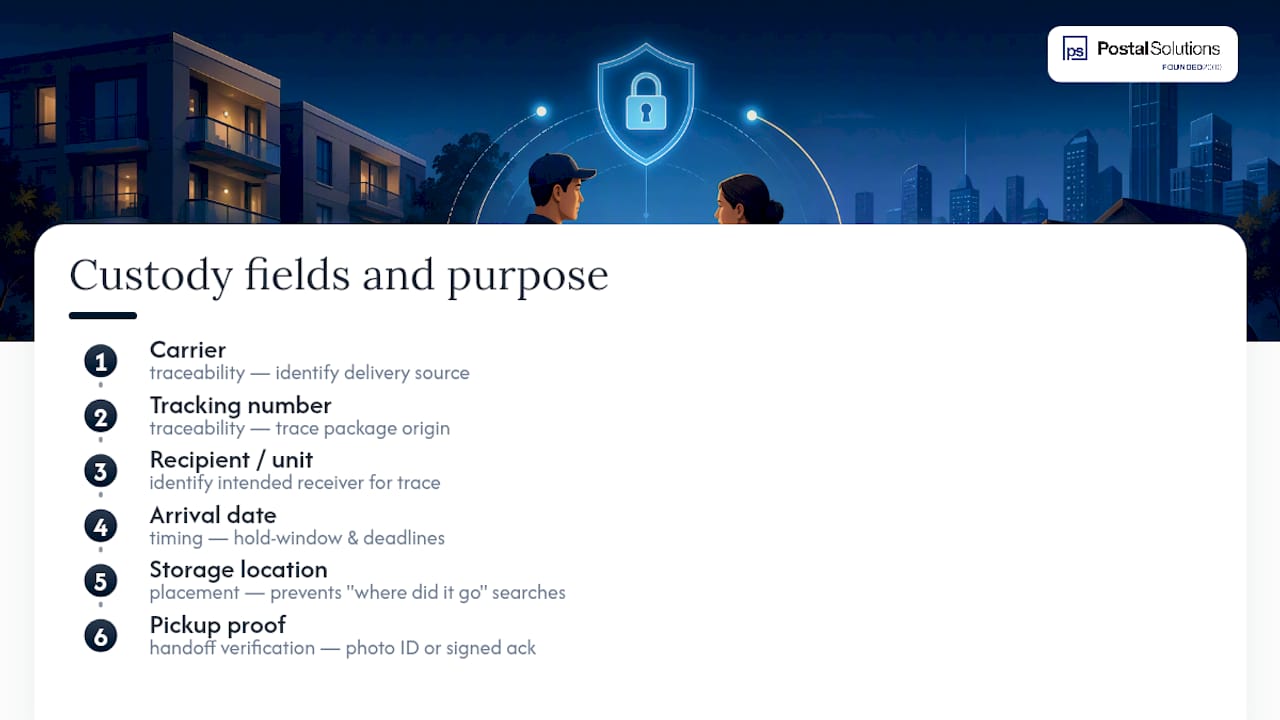
Pickup proof deserves its own standard. The minimum acceptable options are a photo of resident ID at handoff or a signed acknowledgment on the log itself. Pick one and apply it consistently. A hold window, typically a few days to two weeks, needs to be posted where residents see it and enforced on schedule, not left open-ended until the shelf overflows.
Weekly audits should do three things every time: cross-check the physical shelf count against the log, flag anything approaching its hold-window deadline, and log the disposition of every return. Skipping a week is how discrepancies pile up unnoticed.
What Does a Sample Log Entry Look Like?
Seeing the format in practice makes the fields easier to apply than reading a list of requirements.
A paper row typically runs left to right: date, carrier, tracking number, unit, staff initials at intake, storage bin, then a second signature column for pickup. A filled example: “3/12 | UPS | 1Z999AA1 | Unit 204 | J.M. | Shelf B4 | picked up 3/14, signed R. Torres.”
A minimal digital record follows the same lifecycle in status changes: Received (with photo attachment of the label) → Shelved (location auto-logged) → Notified (text or email sent) → Picked Up (signature or ID photo captured). Photographing the label at intake and matching it against the resident directory cuts search time dramatically when a resident calls asking where their delivery went.
Label shelf bins by unit range rather than alphabetically. It’s faster to scan “200 to 220” than to hunt through names. For hold windows, post the number in days at the pickup counter and log the deadline date directly on each entry so staff never have to calculate it manually.
What Do 25 Years of Package Room Operations Teach About Logging?
Two field-tested SOPs consistently improve log accuracy: a “Stop Ghost Packages in 72 Hours” protocol that requires flagging and photographing any unlogged item found on a shelf within three days, and structured cardboard management that keeps storage areas clear enough to actually see what’s on the shelf. Both tie back to one principle: a dedicated Package Manager who owns intake, shelving, and pickup end to end catches errors a rotating leasing staff misses.
After replacing a log, track three metrics: average pickup time from notification, shelf occupancy rate, and weekly audit pass rate. Properties that watch these numbers catch drift before it becomes a backlog.
When Is a New Log Enough, and When Does It Signal a Bigger Problem?
A new log fixes a paperwork problem. It doesn’t fix a staffing problem. If your team is still missing intakes during shift changes, running audits late, or fielding daily “where’s my package” calls after the rollout, the log was never the real issue.
Ask three questions: Is one person accountable for the package room every shift? Are audits actually happening weekly? Is staff overwhelmed by volume rather than by process? Two “no” answers point toward a managed service, not another template.
— Postal Solutions
How Postal Solutions Keeps Your New Log Running
A well-designed log only holds up if someone enforces it every single shift, and that’s where most in-house rollouts quietly slip. Postal Solutions is the alternative to asking your leasing team to run package logging on top of everything else they already do: a dedicated on-site Package Manager works your community up to six days a week handling intake, shelving, resident notifications, and weekly audits, so the custody chain you just built doesn’t erode after week three.
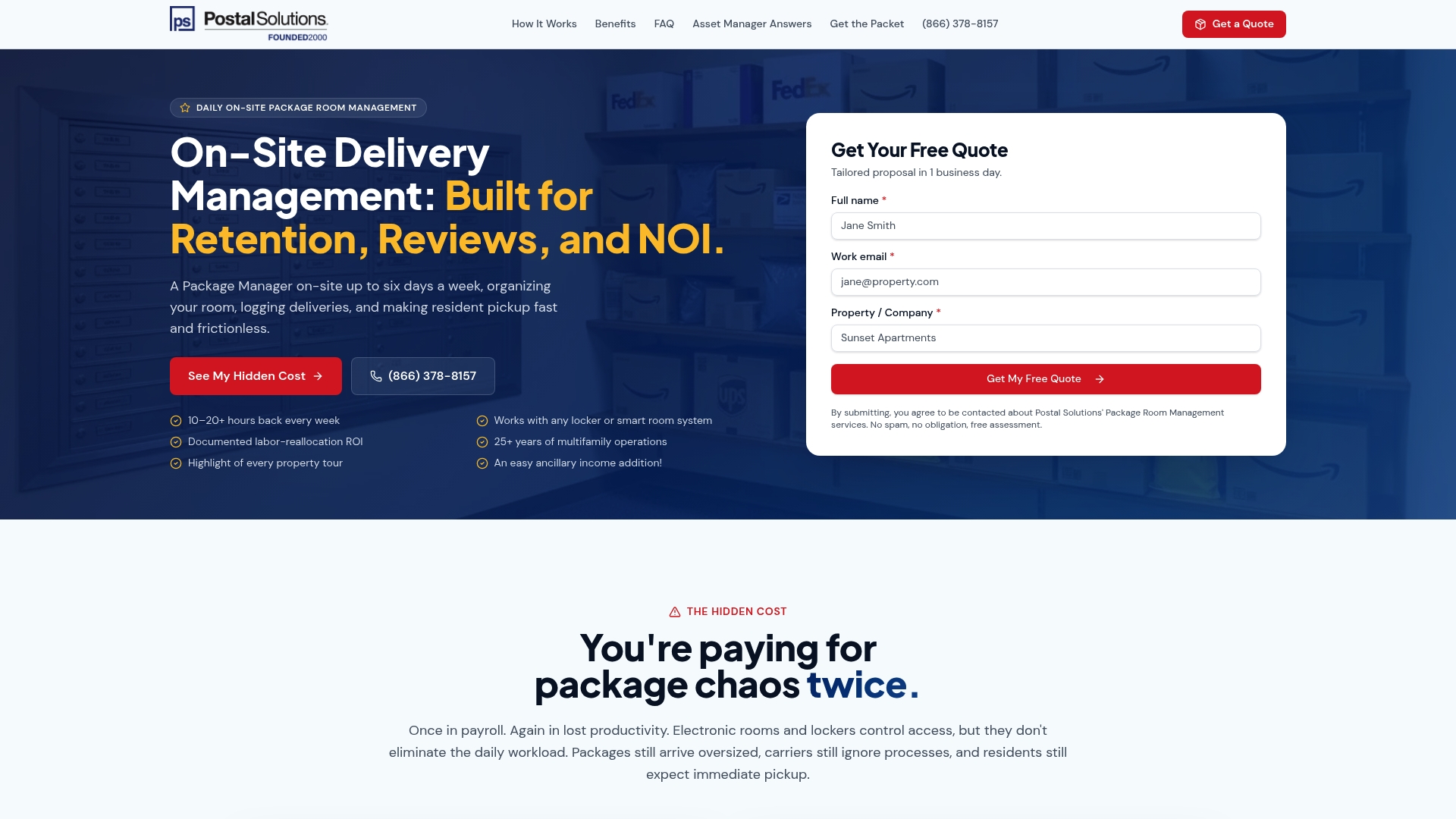
That includes daily on-site package management, weekly audits, and resident pickup support, the exact controls this article just walked you through, run by someone whose only job is the package room. It frees your staff to get back to leasing and renewals instead of chasing lost deliveries, and for communities that offer it as a paid resident amenity, pricing details are available on the service provider’s site. If your team is stretched thin or your audits keep slipping, request a site assessment through Postal Solutions and see what a managed package room looks like at your property.
Reference Guides for Package Logging
- NAAHQ Package Management guide with a sample log template
- Postal Solutions’ multifamily operator guide
- Postal Solutions blog for ongoing operational tactics
Sources
- NAAHQ — Package Management (sample templates and guidance)
- Scaalr — Package management in multifamily buildings
- Postal Solutions — Multifamily package management guide for operators
- Blueprint Insights — A framework for solving multifamily’s package management problem
FAQ
How Long Should You Keep Old Package Log Records?
Most properties retain old logs for at least a year for dispute resolution and insurance purposes, even after switching to a new system. Store them physically or scan them into digital archives before disposing of the originals.
Can You Switch From Paper to Digital Mid-Month?
Yes, but run a short pilot first rather than switching the entire property overnight. A one to two week test at a single intake point catches carrier compliance issues and staff training gaps before they affect every resident.
What’s the Minimum Proof of Pickup You Should Require?
A photo of resident ID at handoff or a signed acknowledgment on the log itself, chosen once and applied consistently. Mixing standards between shifts is how disputes become unresolvable.
Does Postal Solutions Handle the Package Log for Me?
Yes. A dedicated on-site Package Manager from Postal Solutions handles intake, shelving, chain-of-custody logging, and weekly audits as part of daily package room management, so your staff doesn’t have to enforce the new log alone. Pricing details are available on request through the site.
How Do You Handle a Disputed Log Entry?
Pull the photographed label and pickup proof for that specific entry first. If those don’t resolve it, check whether the resident’s unit number matches the directory and whether the carrier’s own tracking confirms delivery to your address.
Recommended
Ready when you are
Fix your package room — start with a free proposal
Daily on-site Package Manager, resident text & email pings*, and a tour-ready amenity. Tell us your unit count and we'll send a right-sized proposal — usually within one business day.
- ✓ 16–30 hours back every week
- ✓ Works with any locker system
- ✓ Faster, friction-free resident pickup
- ✓ An easy ancillary income addition