
September 1, 2026
Property Managers: Fix Resident Address Errors in 30 Minutes via PMS
A property playbook for resident address updates. Use the PMS as the source of truth, run a 30 minute fix, and prevent misdelivered packages.
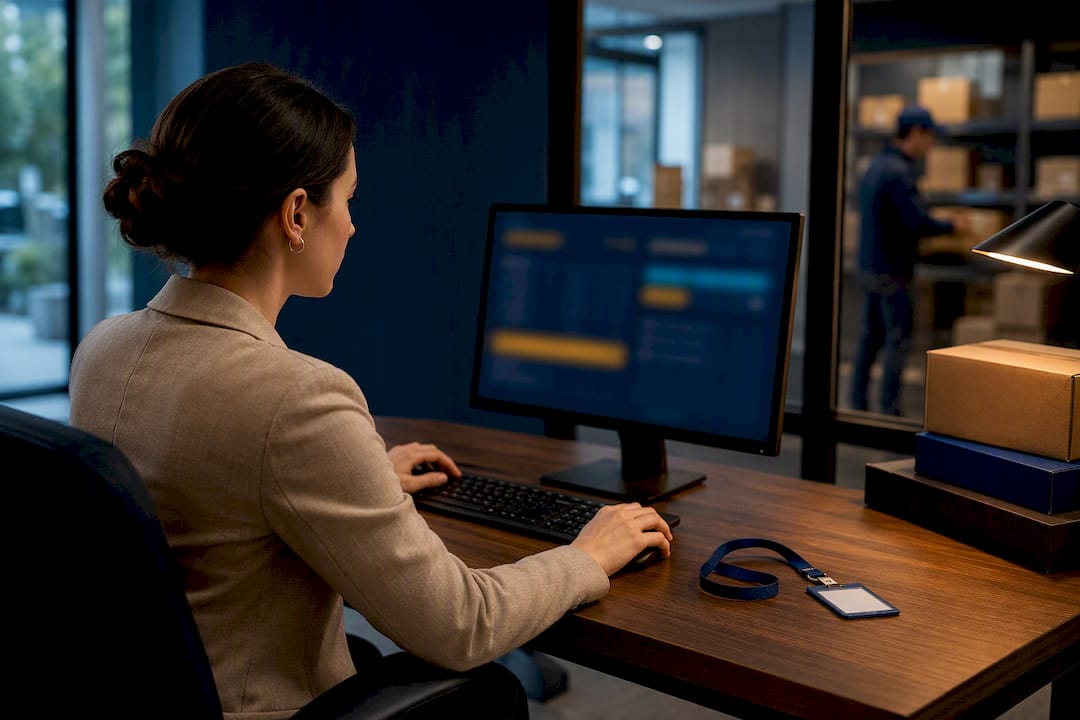
Update the resident record in the property management system first, then trigger the sync to your package room or locker software. That single move resolves most delivery and access mismatches because the PMS should function as the single source of truth for every downstream system. If the sync fails or your systems aren’t integrated, fall back to a manual checklist immediately rather than waiting for the next batch update.
TL;DR:
- Modern property management system integrations typically sync resident data to package systems within minutes to hours, minimizing delivery errors.
- Manual fallback procedures, including logging and cross-verification, are essential when system synchronization fails or is delayed, especially during move-in seasons.
- Clear roles and ownership—such as dedicated staff responsible for daily roster checks and sync confirmations—reduce manual errors and ensure timely address updates.
- Regular audits, at least weekly, comparing PMS rosters to package system records and tracking mismatches, help catch and correct errors early.
- Resident communication should be limited to authorized individuals, with transparent policies on notification channels, hold periods, and overflow procedures to prevent confusion.
Table of Contents
- How Do You Update Resident Addresses for Packages Quickly?
- What Is the Standard Workflow for Updating Delivery Addresses?
- How Do PMS Integrations Sync Resident Data to Package Systems?
- What Resident Communication Should Follow an Address Update?
- Who Handles Address Updates on Your Team?
- How Often Should You Audit Resident Address Records?
- Why On-Site Management Catches Address Errors First
- Let Postal Solutions Keep Your Package Room Running Right
- Sources
- FAQ
How Do You Update Resident Addresses for Packages Quickly?
When a resident reports a missed delivery or a locker code that won’t work, you have roughly 10 to 30 minutes to fix it before frustration turns into a complaint to the leasing office. Speed matters here, but so does sequence. Skip a step and you’ll fix the symptom while leaving the underlying roster data wrong.
- Pull up the resident record in the PMS and confirm the correct name, unit number, and move-in or move-out date. Typos in unit numbers are the single most common cause of “my package went to the wrong locker.”
- Force or confirm the sync to your package room or locker platform. Most integrated systems sync on a schedule, but nearly all allow a manual push for urgent cases.
- Reissue or revoke access codes. A resident who moved into unit 204 needs a new locker code; the previous resident of 204 needs theirs shut off the same day.
- Notify the resident through their preferred channel and log the change in both the PMS and the package system, including the timestamp and who made the edit.
- If a package is already in transit to the old address or an inactive locker, contact the carrier directly and flag the unit change, then note the chain of custody once it arrives so nobody has to guess where it sat overnight.
Pro Tip: Keep a printed or digital “urgent fix” version of this checklist taped inside the package room. During move week, staff won’t have time to hunt through a policy binder.
What Is the Standard Workflow for Updating Delivery Addresses?
A one-off fix solves today’s problem. A repeatable workflow prevents tomorrow’s. Most properties should treat resident address updates as a triggered event, not a periodic cleanup task, because the trigger tells you exactly when to act.
Three events should always start the process: a move-in or move-out recorded in the PMS, a resident-submitted address change form, or a returned/undeliverable package that reveals a mismatch nobody caught.
Once triggered, the sequence should run in this order:
- Update the resident’s name, unit, and status in the PMS.
- Confirm the lease record matches the actual occupant. This catches cases where a sublease or roommate swap never made it into the system.
- Push the update to the package room or locker software, whether that’s an automatic sync or a manual entry, as illustrated by property management automation examples.
- Verify access rights on the package system itself. A pushed sync doesn’t always translate into an active locker credential.
- Send resident and carrier notifications so both sides know the record changed.
When systems aren’t integrated, or the integration is down, staff need a manual fallback: a shared spreadsheet or log where updates are entered by hand, timestamped, and double-checked against the PMS at the end of the shift. This isn’t elegant, but it beats a resident finding out their neighbor has been receiving their prescriptions for two weeks.
Recordkeeping matters more than most teams assume. Every update, whether automatic or manual, should leave a trail showing who made the change, when, and what triggered it. That trail is what lets you answer “why did this package go missing” with a fact instead of a guess. A step-by-step operational guide can help formalize this into written policy rather than tribal knowledge.
How Do PMS Integrations Sync Resident Data to Package Systems?
Most modern package locker and package room platforms connect directly to property management software like Yardi, Entrata, RealPage, ResMan, and Rent Manager. These connectors typically sync three things: the resident roster, unit-to-resident mapping, and move-in/move-out status. When it works well, a move-out entered in the PMS automatically removes that resident’s locker access without anyone touching the package system directly.
That automation only holds up if you’ve verified a few things with your vendor up front:
- Sync frequency. Some connectors update in near real time; others batch overnight. Ask directly rather than assuming.
- Deactivation behavior on move-out. Confirm access is actually revoked, not just flagged as inactive in a report nobody reads.
- Custom unit mappings. Buildings with non-standard unit numbering (letter suffixes, multi-building complexes) are where syncs break most often.
Duplicate resident entries, unit reassignments mid-lease, and residents who never got registered in the first place are the three failure modes that show up most in the field. Duplicates usually trace back to a resident being entered twice during a lease renewal. Unit reassignments break because the package system kept the old unit tied to the old access code.
Roughly 24% of consumers rank on-site package pickup among the amenities they most want in an apartment, according to an NMHC and Grace Hill survey referenced in Parcel Pending’s integration guide, which means a broken sync isn’t just an operations headache. It undercuts an amenity residents specifically chose the property for. Run a scheduled reconciliation, weekly at minimum, comparing the PMS roster against the package system’s active-user list, and treat every unexplained mismatch as a ticket, not a shrug.
What Resident Communication Should Follow an Address Update?
The technical fix is only half the job. Residents need to know what changed and why, or you’ll field the same “where’s my package” call twice.
Set a clear policy on who can request updates. Only the leased resident or an authorized household member listed on the lease should be able to trigger a change, and staff should require some form of ID confirmation, even something as simple as matching a name against the lease file, before acting on a request that didn’t originate from a move-in or move-out event.
Cover these in writing:
- Pickup windows and what happens to a package that sits unclaimed past the hold period.
- How overflow and oversized items are handled when a locker bank is full or a resident’s assigned locker is too small.
- Which channels residents can choose for notifications. Letting residents pick SMS, email, or app push and recording that preference means fewer missed pickup alerts.
- Accessibility accommodations for residents who can’t physically reach a locker bank or need an alternate pickup arrangement under ADA guidelines.
Pro Tip: Draft two versions of your notification template: one for routine updates and one for urgent ones (like a locker code change during a security concern). Residents read urgency differently, and your language should match it.
A written policy also gives your team something to point to when a resident pushes back on a hold period or overflow rule. Templates like these are easier to adopt than write from scratch; a ready-to-use package room policy covers most of this ground already.
Who Handles Address Updates on Your Team?
Ambiguity is where address updates go to die. If “someone” is supposed to check the roster daily, nobody actually does it consistently.
Assign these roles explicitly:
- One staff member owns daily intake and a quick roster check against yesterday’s move-in/move-out list.
- A second person, often a site manager or assistant, runs the actual PMS-to-package-system sync and confirms it completed.
- A designated escalation contact handles anything the front-line team can’t resolve within the 30-minute window, including vendor support calls.
Training should cover reading audit logs, manually triggering a sync, managing access codes for both new and departing residents, and following a surge playbook for move-in season or the holiday shipping crunch.
Twenty-five years of running on-site package operations has shown us the same pattern over and over: properties that assign clear ownership of the update process catch problems in hours. Properties that treat it as “whoever’s at the desk” catch them in complaints.
Postal Solutions builds this role clarity into every property it manages, with a dedicated on-site Package Manager working the community up to six days a week specifically so these tasks never fall through the cracks between shifts.
How Often Should You Audit Resident Address Records?
Verification is what separates a system that works from one that used to work. Roster drift builds quietly, one missed update at a time, until suddenly a dozen packages are misrouted in a single week.
- Daily: Check recent move-ins and move-outs against the package system’s active roster, and confirm the previous day’s syncs completed without errors.
- Weekly: Pull a sample of records and reconcile them by hand, and review any missed-delivery reports to see if a bad address record was the cause.
- Monthly: Track sync failure counts, the number of manual edits staff had to make, and total missed-delivery incidents tied to address errors.
Set a clear escalation threshold. If sync failures exceed a handful in a week, or the same unit shows up in missed-delivery reports twice, it’s a vendor support ticket, not a “we’ll watch it” situation. Automated systems that track chain of custody make this kind of reconciliation far faster than a paper logbook ever could.
Why On-Site Management Catches Address Errors First
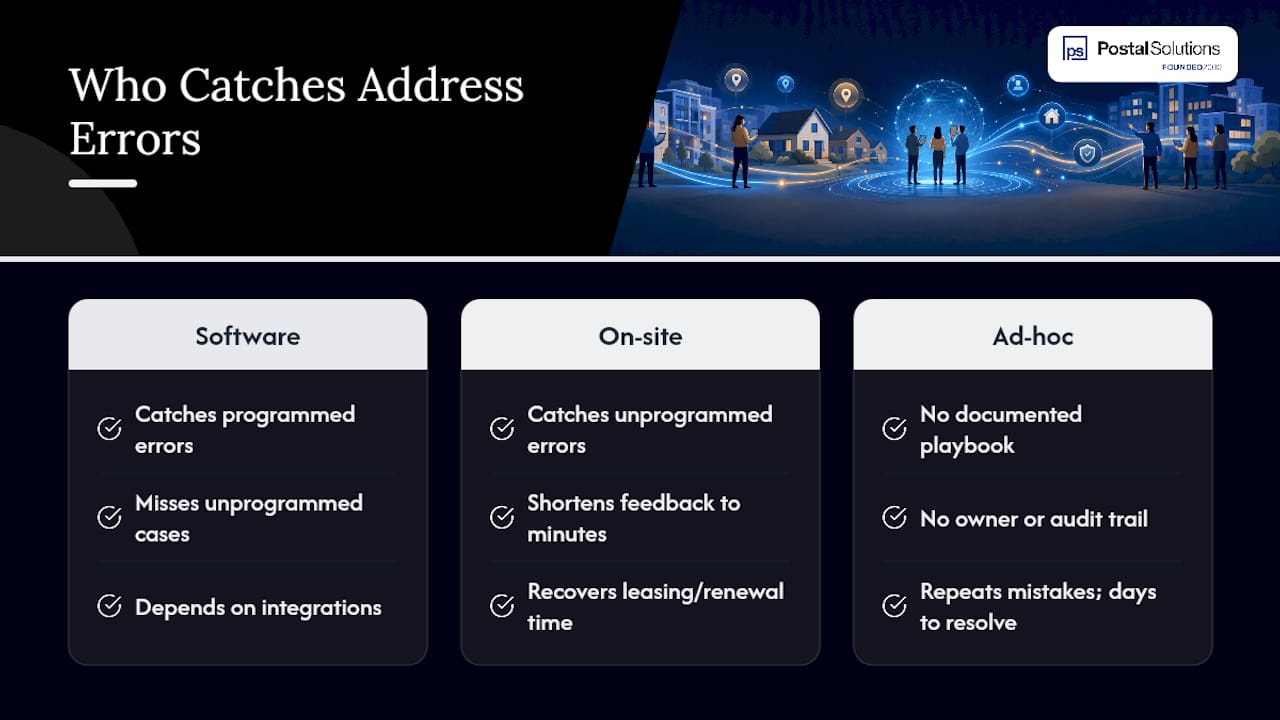
Software catches the errors it’s built to catch. A person standing in the package room catches the ones nobody programmed for: the resident whose name changed after marriage but whose PMS record didn’t, the sublease that never got logged, the locker bank that’s technically synced but physically jammed.
Properties that skip a documented playbook and handle updates ad hoc tend to repeat the same mistakes: no clear owner, no audit trail, no fallback when the integration hiccups. On-site staff shorten that feedback loop from days to minutes, which is time recovered for leasing and renewals instead of untangling misdelivered boxes.
— Postal Solutions
Let Postal Solutions Keep Your Package Room Running Right
Postal Solutions is the direct alternative to leaving address updates and locker access to whichever staff member happens to be free that day. A dedicated on-site Package Manager works your community up to six days a week, handling daily intake, sorting, and the roster checks this article just walked through, so your leasing team stops losing hours to package chaos and starts putting that time back into tours and renewals.
The service integrates with the locker or package room hardware you already have, including systems from major providers, and keeps resident records current so fewer packages end up misrouted or stuck in limbo during move-in season. Fewer missed deliveries mean fewer angry emails to the front office and a package room your team can actually show off on tours instead of apologizing for.
Curious how on-site management compares to managing it yourself or outsourcing it off-site? Read our breakdown of on-site versus off-site package management or grab the free package room management guide to see exactly what a well-run operation looks like week to week.
Sources
- Which Package Lockers Work with Yardi, Entrata, and RealPage? - Parcel Pending
- Multifamily Package Automation | Smart Package Room
FAQ
How Long Should It Take to Update a Resident’s Address?
A properly integrated system should sync a PMS update within minutes to a few hours, depending on the connector’s sync frequency; manual fallback updates should be logged and completed within the same 30-minute window as any urgent access fix.
What Happens if the PMS and Package System Don’t Sync Automatically?
Staff should fall back to a manual log, entering the update by hand in both systems and reconciling them against the PMS roster at the end of the shift to catch anything missed.
Who Should Be Allowed to Request an Address Change?
Only the leased resident or an authorized household member on the lease should be able to request a change, and staff should confirm the request against the lease file before acting on it.
Can On-Site Package Management Reduce Address-Related Delivery Errors?
Yes. Dedicated on-site staff, like the Package Managers Postal Solutions places at communities, catch roster mismatches and access issues in real time instead of waiting for a resident complaint to surface the problem.
What Should Happen to a Package Addressed to a Resident Who Already Moved Out?
The package should be flagged, the carrier notified of the unit status change, and the item logged for return-to-sender or forwarding per your property’s hold policy, with the chain of custody documented at every step.
Recommended
Ready when you are
Fix your package room — start with a free proposal
Daily on-site Package Manager, resident text & email pings*, and a tour-ready amenity. Tell us your unit count and we'll send a right-sized proposal — usually within one business day.
- ✓ 16–30 hours back every week
- ✓ Works with any locker system
- ✓ Faster, friction-free resident pickup
- ✓ An easy ancillary income addition